The most popular advice about bad dialogue is also the least reliable: just turn it up. Raising the overall volume amplifies the music, traffic, HVAC rumble, room reflections, and effects that already compete with the voice. Dialogue enhancement works better when you identify what is hiding the speech, separate the useful signal from the rest, and judge the result against the people who will listen.
A clean waveform can still produce an exhausting listening experience. Aggressive processing may remove the texture of a room, distort consonants, or make speech sound metallic. The practical target isn't the driest or loudest track. It's dialogue that stays understandable while preserving enough natural tone, timing, and environment to feel real.
Table of Contents
- Why Cleaner Audio Is Not Always Better Audio
- What Causes Poor Dialogue in Recordings
- Core Dialogue Enhancement Techniques Explained
- How Intelligibility Is Measured and Why It Matters
- Recommended Workflows for Podcasters and Video Editors
- Before and After Examples Across Real Use Cases
- Building an Audience-Aware Enhancement Strategy
Why Cleaner Audio Is Not Always Better Audio
Creators often treat dialogue enhancement as a universal upgrade. That assumption breaks down because listeners don't respond to processed speech in the same way. A setting that makes a quiet voice easier to follow for someone with hearing loss may alter the cues that a normal-hearing listener relies on, especially when the processor introduces musical noise, pumping, or unnatural spectral changes.
A 2026 Frontiers study of a low-latency deep-learning noise reducer found that normal-hearing listeners experienced a statistically significant deterioration in speech recognition, with median SRT worsening by 0.9 dB, while hearing-impaired listeners improved by 0.8 dB and cochlear-implant users improved by 5.7 dB. The study's findings don't mean that every noise reducer harms normal-hearing audiences. They do show why “cleaner” and “more intelligible” can't be treated as synonyms.

Start with the audience, not the preset
A podcast, classroom recording, television program, and accessibility mix may need different versions of the same source. A hearing-impaired listener may benefit from stronger speech prominence, steadier dynamics, and reduced masking. A normal-hearing listener may prefer a more transparent mix that retains room tone and the original relationship between voice, music, and effects.
Practical rule: Process for comprehension first, then check whether the treatment has made the voice tiring, brittle, phasey, or detached from the scene.
In a mixed audience, test at least the unprocessed reference and the enhanced version on ordinary headphones, small speakers, and the playback system most relevant to your audience. Listen for words, not just tonal polish. If the enhanced version sounds impressive in solo but becomes distracting in context, it isn't finished.
What overprocessing sounds like
Common warning signs include a watery high end after noise reduction, clipped plosives after aggressive isolation, and a voice that seems to jump forward whenever the speaker pauses. Dereverberation can also create hollow vowels or unstable consonants when the algorithm has too little direct speech to work with.
The right question is not “How much noise did I remove?” Ask instead, “Can listeners follow the words with less effort, and does the result remain natural for the intended audience?” That shift prevents one-size-fits-all processing from becoming a quality problem.
What Causes Poor Dialogue in Recordings
Poor dialogue usually has a specific cause, but editors often reach for the same chain regardless of the recording. A podcast recorded in an untreated home office has a different problem from a field interview beside traffic, and both differ from a boom microphone that captures too much room during a film scene. Diagnosis determines the order of operations.
Identify the dominant failure
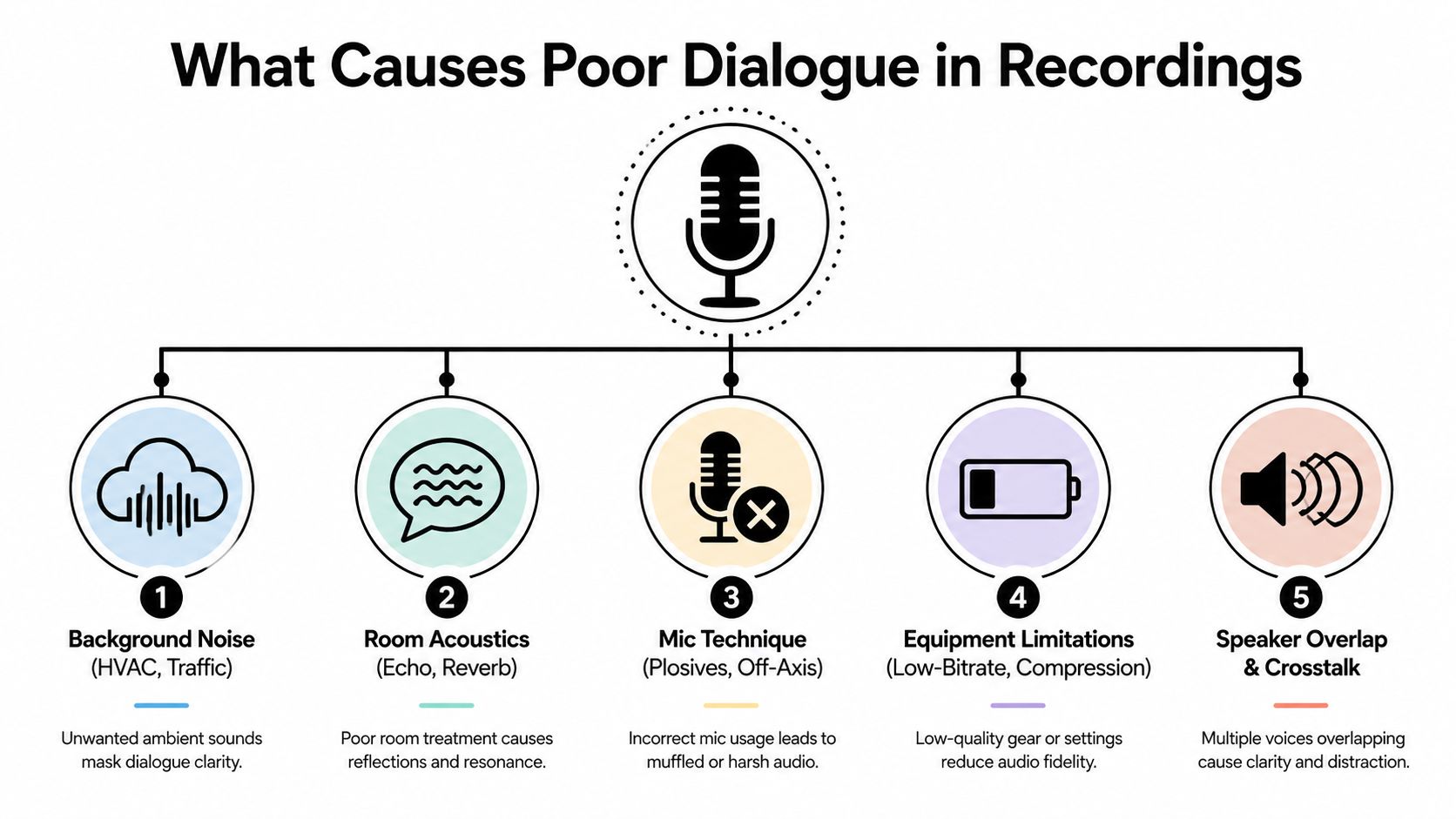
- Background noise: HVAC, traffic, computer fans, crowd ambience, and electrical hum can mask consonants. Steady noise is often easier to reduce than irregular noise because the processor can identify a more stable fingerprint.
- Room acoustics: Hard walls, windows, floors, and ceilings reflect speech back into the microphone. Those reflections overlap the direct voice and smear the short consonant details that make words distinct.
- Mic technique: A lavalier hidden under clothing can produce rustle and muffled high frequencies. An off-axis microphone loses presence, while excessive distance captures more room than voice. Plosives can overload the capsule or create low-frequency blasts.
- Equipment limitations: Low-bitrate recording, heavy compression, and a weak microphone can remove detail before post-production begins. The diagram labels this category as equipment limitations because not every failure originates in the room or performance.
- Speaker overlap and crosstalk: Two people talking at once create a separation problem, not a simple volume problem. Increasing one speaker can also increase the other, while aggressive isolation may leave both voices damaged.
Use the recording context as evidence
A noisy coffee-shop interview may need source separation and selective noise reduction. A distant boom in a reflective room may need dereverberation before equalization. A clipped lavalier cannot be restored to a clean original, although repair tools may reduce the distraction.
Listen in short loops. First mute the music and effects if separate tracks exist. Then inspect the pauses, sibilants, word endings, and first syllables of sentences. These areas reveal whether you're dealing with masking, room decay, unstable gain, or missing information.
If the direct speech was never captured clearly, enhancement can improve usability, but it can't recreate every lost consonant or remove every reflection without trade-offs.
Frequency masking deserves special attention. A music bed with strong energy in the speech-presence region can make a perfectly recorded voice seem dull. In that situation, cutting the dialogue aggressively may do less than making a small, automated space in the music during spoken phrases.
Core Dialogue Enhancement Techniques Explained
Dialogue enhancement is a toolkit, not a single effect. Each processor solves a different failure, and the order matters because an aggressive first step can make every later step less transparent.
Noise reduction
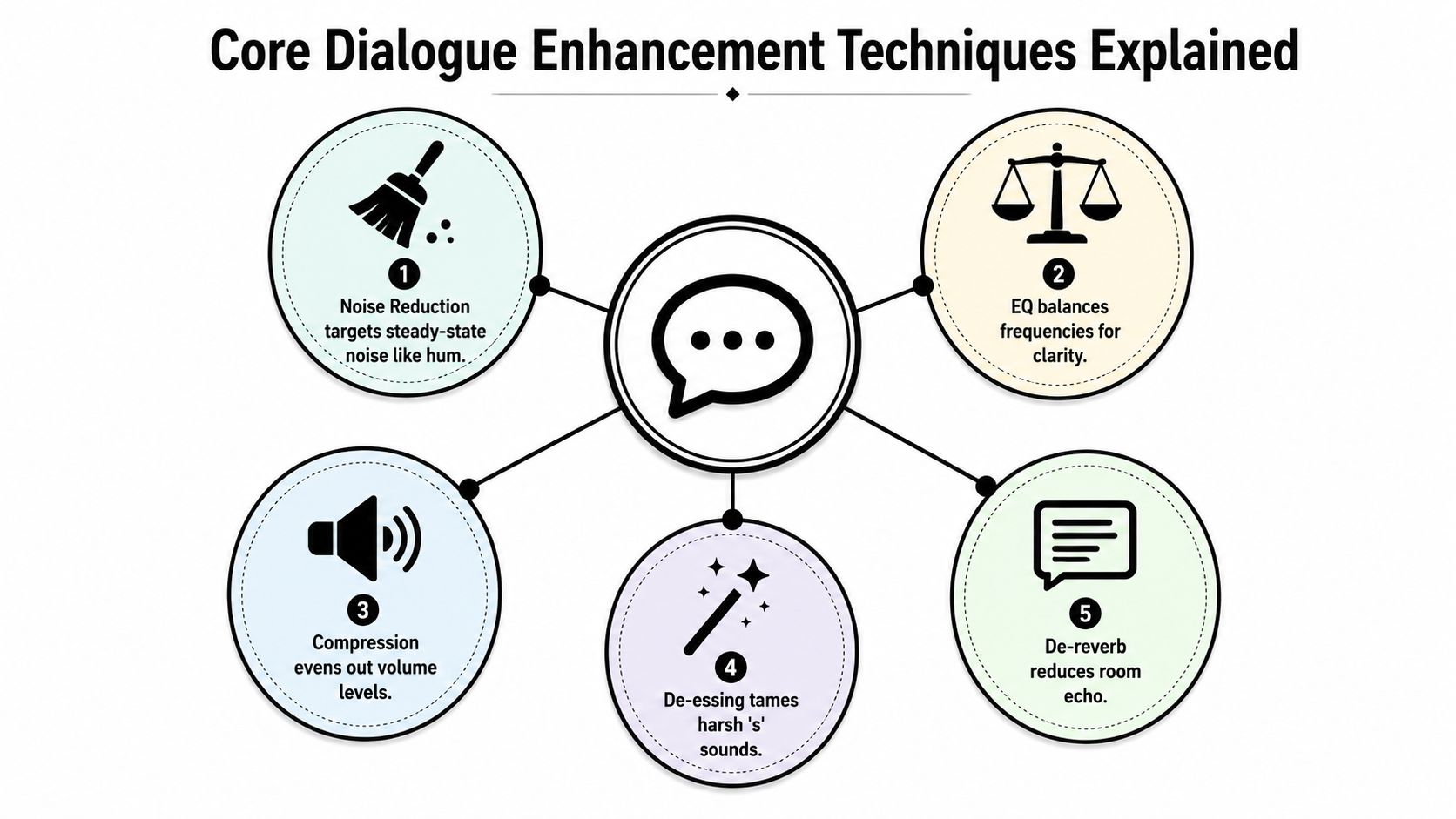
Noise reduction subtracts the recording's unwanted background fingerprint. It works best on consistent hum, hiss, fan noise, or air conditioning. Capture a short noise-only sample when possible, use the lightest reduction that solves the problem, and compare pauses as well as speech.
Overdo it and you'll hear watery modulation or isolated high-frequency chirps. For irregular traffic, clothing movement, or crowd noise, manual clip editing and automation often sound more natural than forcing a broadband processor to remove everything.
Dereverberation
Dereverberation tightens the acoustic space around a voice. It attempts to reduce reflected sound so the direct speech arrives with clearer consonants and less room tail. Use it when the recording sounds distant, hollow, or echoing, particularly in hard-surfaced rooms.
Modern systems increasingly treat denoising and dereverberation as a joint problem. A deep-learning study found that estimating complex ratio masks, which enhance magnitude and phase, outperformed related approaches and demonstrated the importance of phase information for dereverberation. The ICASSP study supports a practical conclusion: a system that considers phase can handle reverberant speech more effectively than magnitude-only suppression.
EQ and dynamics
EQ shapes the balance rather than creating missing detail. Begin by removing unnecessary low-frequency rumble, then make a restrained presence adjustment only if the voice needs more articulation. Avoid boosting the same upper-midrange region that already contains harshness or room noise.
Compression controls level variation so quiet words don't disappear and louder phrases don't dominate. Follow it with de-essing if the processing makes “s” and “sh” sounds too prominent. Gating can reduce bleed between phrases, but manual clip gain and room-tone edits usually preserve a more convincing background.
Stem separation
Stem separation isolates dialogue from music, effects, or ambience so you can make independent decisions. It's especially useful when the original mix is a single file and the voice sits under a dense soundtrack. The isolated stem may contain artifacts, so blend it with the original instead of assuming it should replace the source completely.
A sensible chain is usually corrective: remove obvious rumble, reduce steady noise, control room reflections, shape tone, then even out level. Source-aware enhancement can outperform generic denoising when the main problem is dialogue competing with other content.
How Intelligibility Is Measured and Why It Matters
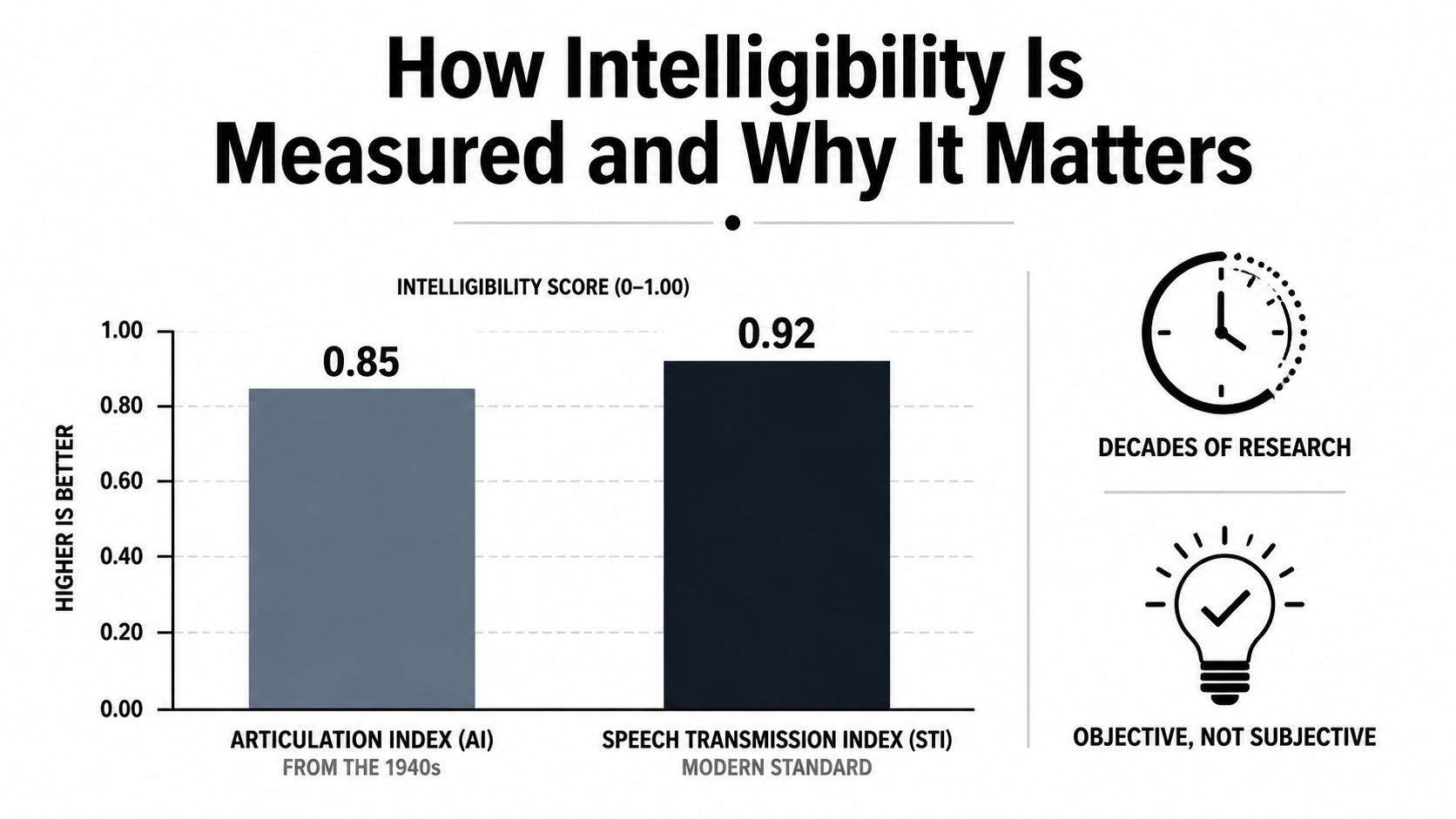
Dialogue cleanup isn't only a matter of taste. The field is grounded in speech intelligibility measurement, beginning with the articulation index developed in the 1940s and later refined through measures such as the speech intelligibility index. A 2025 Euracoustics paper places modern dialogue enhancement within that longer history.
Why small level changes can matter
The useful signal is not the loudness of the entire soundtrack. It's the relationship between speech and competing sound. A modest dialogue lift can improve that relationship without requiring the listener to endure a louder music bed or effects track.
A Fraunhofer IIS technical paper reports that a 6 dB dialogue boost produced a substantial improvement in intelligibility, while a 12 dB boost raised speech intelligibility for hearing-impaired listeners to levels comparable to normal-hearing listeners. The Fraunhofer technical paper illustrates why dialogue-specific processing became important for broadcast and accessibility work.
The ITU report gives the result a more practical context. In steady-state noise, a 12 dB enhancement increased intelligibility from 46% to 91%. In applause noise, it increased intelligibility from 34% to 81%. A 6 dB setting still raised intelligibility to 86% in steady-state noise and 62% in applause noise. The ITU dialogue-enhancement report shows that the benefit depends on both the amount of enhancement and the character of the competing sound.
Measurement changes editing decisions
These results don't mean every track needs a 12 dB boost. They show why editors should separate dialogue from background content before turning up the master. If a voice is buried under music, reduce the masking source or isolate the speech rather than applying a blunt gain increase.
The historical record also explains why older fixes had limits. A review in PMC's speech-enhancement literature cites late-1970s work by Lim that found no intelligibility improvement from spectral subtraction for speech corrupted at signal-to-noise ratios from -5 to 5 dB. Modern systems are more capable, but the lesson remains: removing noise numerically doesn't guarantee that listeners recover the words.
Recommended Workflows for Podcasters and Video Editors
A reliable workflow begins with an untouched duplicate. Keep the original file, make a working copy, and match the enhanced result against the original at a similar perceived level. Loudness alone can make a processed version seem better during a quick comparison.
For podcasters
Record as close to the microphone as the performance allows, keep the capsule aimed consistently, and monitor for plosives, clothing noise, and room reflections. In post-production, use this order:
- Edit first: Remove false starts, long distractions, and obvious handling noise before asking an algorithm to process them.
- Reduce steady noise gently: Learn a noise profile when the recording provides one. Stop when the voice begins to acquire watery artifacts.
- Shape the tone: Use a high-pass filter for unnecessary rumble, then make a restrained presence adjustment if consonants remain buried.
- Control dynamics: Apply compression to stabilize speech, then use clip gain for individual words or phrases instead of forcing the compressor to work too hard.
- Treat pauses carefully: A gate can reduce background bleed, but manual edits with room tone often sound less artificial.
For a browser-based option, ClearAudio lets you upload a file, specify whether to keep speaker, vocals, dialogue, or background music, and choose processing modes from Small for quick work through PRO Large for more demanding results. Advanced controls can support a more deliberate workflow when a simple prompt isn't enough.
For video editors
Start by separating production microphones. Boom and lavalier tracks often fail in different ways, so don't process them as one composite. Use the cleaner source for the main line, blend the other microphone for continuity, and isolate dialogue from music or effects only when the mix prevents a transparent repair.
If you're preparing short-form cuts after cleanup, pro video editing for social media offers useful context for adapting finished dialogue to fast-moving visual formats. Keep the audio decision separate from the visual edit, though. A tight cut still needs speech that survives phone speakers and casual listening.
Before and After Examples Across Real Use Cases
The most useful test is whether the words become easier to follow without obvious processing damage. Consider four common situations.
A noisy coffee-shop interview
The original recording contains voices, cups, HVAC, and irregular room activity. Start with manual edits around interruptions, apply gentle broadband reduction to the steady bed, then use dialogue isolation only as much as needed. If the isolated result develops watery consonants, blend it beneath the original rather than using it alone.
A vlog with wind and room echo
Wind creates unstable low-frequency energy, while room echo continues after each word. Remove the worst low-end bursts with editing and filtering, then apply restrained dereverberation. EQ comes after the room treatment because boosting presence too early can emphasize the reflections along with the speech.
A documentary field recording
Overlapping ambience can make the track feel authentic while still masking the interview. Preserve some environmental sound for continuity, duck it during key phrases, and avoid trying to create a completely silent background. If two speakers overlap heavily, choose the editorially important voice and accept that separation may remain imperfect.
A corporate training video
A distant microphone often produces quiet, dull speech with too much room. Clip gain can establish a stable starting level, followed by noise reduction, dereverberation, presence shaping, and moderate compression. If consonants were never captured, the result may become more usable but won't sound like a close microphone.
For transcripts, searchable captions, or editorial review, a clear source also helps downstream work. A specialist option such as Translators USA transcription service can fit when the project needs professional podcast transcription alongside audio publication.
Enhancement can rescue masking and moderate noise. It can't reliably reconstruct speech that was clipped, completely covered, or dissolved into severe reverberation.
When artifacts become more noticeable than the original defect, stop processing. Re-recording, requesting alternate microphone tracks, or changing the mix may produce a better result than another pass through an AI model.
Building an Audience-Aware Enhancement Strategy
Dialogue enhancement should begin with a listener profile, not a plugin preset. The Frontiers findings show that normal-hearing listeners, hearing-impaired listeners, and cochlear-implant users can respond differently to the same noise-reduction treatment. That makes a single “clarity” mode a poor default for creators serving mixed audiences.
Use a practical decision framework:
- Define the priority: Decide whether the main goal is accessibility, naturalism, noisy-location intelligibility, or dialogue separation.
- Create a restrained master: Preserve the original mix while applying only the processing needed to reveal speech.
- Offer alternatives when possible: A standard mix, accessibility-oriented mix, or optional dialogue boost can serve different listeners better than one aggressive version.
- Test for artifacts: Check words, pauses, sibilants, music transitions, and playback on more than one system.
The field is also moving beyond basic denoising. A 2025 study using visual cues reported subjective gains up to 51.9% in word intelligibility and 45.2% in speech quality, while another 2025 paper found that audio-visual feature synchronization improved intelligibility by 18.1% to 19.2% absolute at -9 dB SNR. The PubMed research record also reflects growing interest in individualized enhancement for hearing-impaired listeners.
The direction is clear. Effective systems will increasingly consider scene context, visual speech information, and listener needs. Until then, enhance with purpose, compare against the original, and judge success by comprehension rather than cleanliness.
ClearAudio lets you isolate dialogue, reduce noise and room echo, and choose what to keep directly in the browser without building a complex processing chain. Visit ClearAudio to test your recording with an audience-aware cleanup workflow, then compare the result against the original before publishing.