You've probably had this moment. You finish a podcast interview, a song demo, or a voiceover session on gear you trust. Then you press play and the result feels smaller than it did in the room. The voice is clear enough, but not vivid. The guitar has detail, but not depth. You start wondering whether the missing piece is hi res audio.
That question matters more now because creators aren't just making albums for dedicated listening rooms. They're editing dialogue for YouTube, cleaning interviews for newsletters, mastering indie releases, and preparing stems for clients who may listen on phones, headphones, or studio monitors. In that world, hi res audio can be useful, but not always for the reasons marketing suggests.
Some projects benefit from the extra headroom and production flexibility. Others don't. A spoken-word show with room echo won't suddenly become compelling because it was exported at a higher sample rate.
Table of Contents
- Introduction to Hi Res Audio
- Understanding Key Concepts
- Overview of Hi Res Formats and Codecs
- Comparing Hi Res with CD MP3 and Streaming
- Essential Playback Gear and Software
- Best Practices for Recording Mixing and Mastering
- Managing and Accessing Hi Res Files with Workflows
- Conclusion and Next Steps
Introduction to Hi Res Audio
You record a vocal that feels intimate and clear in the room. Later, after noise reduction, EQ, de-essing, and one more export for video, it starts to sound a little flatter and less natural. That is the practical reason hi res audio matters. It gives creators more room to work before processing starts to leave obvious fingerprints.
At its simplest, hi res audio refers to audio stored at a higher resolution than the CD standard. The label matters less than the use case. For listening, the improvement can be subtle and sometimes hard to separate from the quality of the master itself. For recording and post-production, higher-resolution files can be more useful because editing tools have more information to work with.
That distinction clears up a common confusion.
Hi res audio is not a magic upgrade for every project. It will not fix background hum, clipping, poor mic technique, or a reflective room. A better way to view it is as a larger working canvas. If the source is good, the extra room can help during recording, cleanup, mixing, and mastering. If the source is weak, higher resolution mainly preserves the problems more accurately.
This matters beyond audiophile listening setups. A music producer may want more headroom for processing. A podcaster may want cleaner results after dialogue repair. A video editor may need files that hold up through multiple exports. Teams using AI cleanup tools such as ClearAudio often see the same trade-off: stronger source files can give restoration tools a better starting point, but large hi res files also add storage, transfer, and workflow overhead.
Practical rule: Treat hi res audio as a production format first and a playback benefit second.
That approach keeps the focus on outcomes. Choose hi res when it helps your editing and delivery process. Skip it when standard-resolution files already meet the needs of the project and the audience.
Understanding Key Concepts
Hi res audio starts to make sense once you separate two ideas: how often audio is measured and how precisely each measurement is stored.
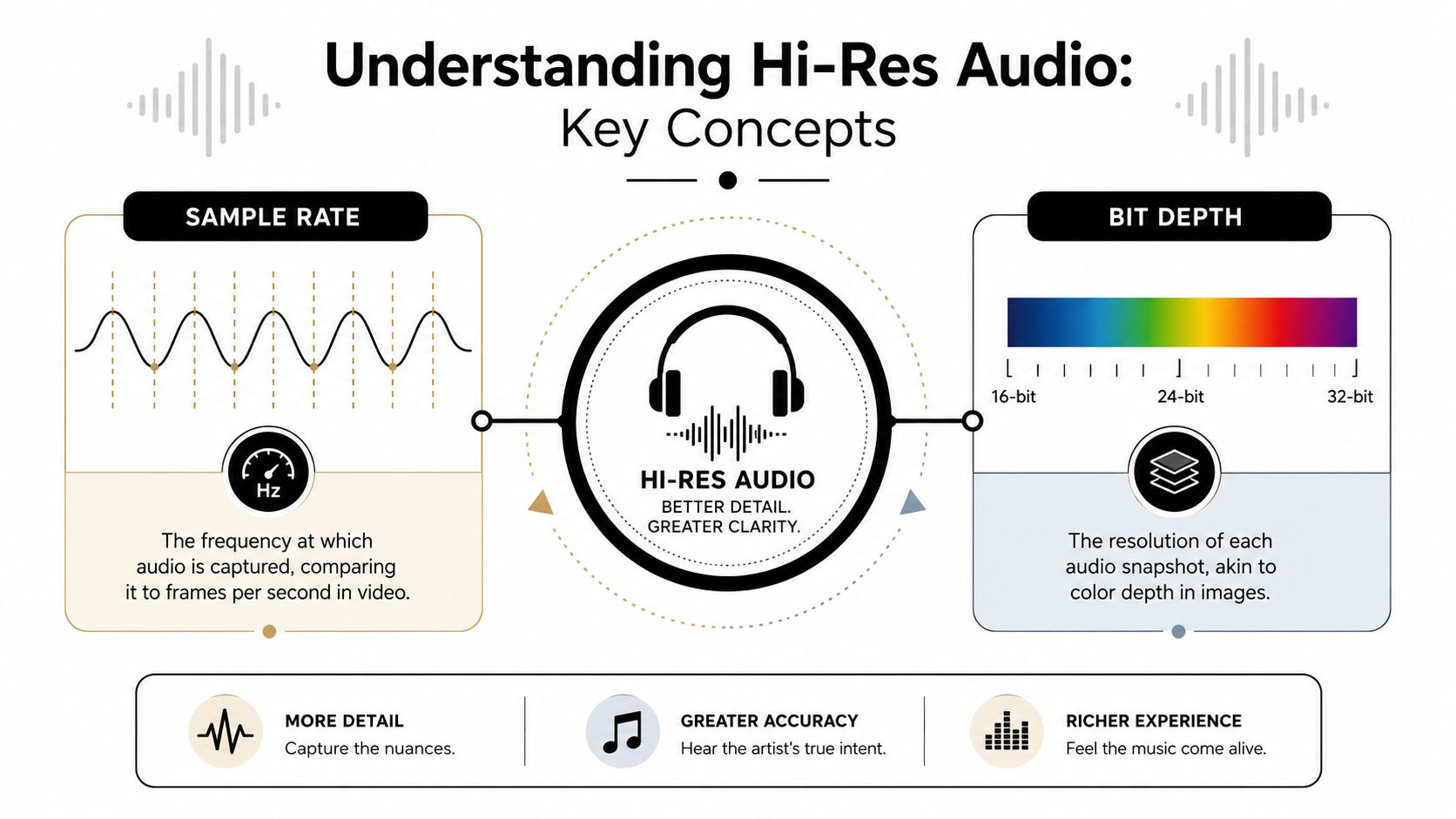
Those ideas are sample rate and bit depth. They sound abstract at first, but they become much easier to judge once you tie them to real production decisions.
What sample rate means
Sample rate describes how many times per second a digital system measures an incoming sound wave. Video offers a useful comparison. A higher frame rate records motion at more points in time, and a higher sample rate records audio at more points in time.
As noted earlier, CD audio uses 44.1 kHz at 16-bit as the familiar baseline. A 96 kHz file measures the waveform more often each second. That gives the system a finer timing grid for describing fast changes in the signal.
For many listeners, that extra density does not create an obvious day-and-night difference. For creators, it can still matter during recording and editing. Time-based processing such as EQ, pitch work, transient shaping, and restoration can behave more gracefully when the source gives the software more detail to work with.
This becomes practical fast. If you are cleaning dialogue, reducing hiss, or repairing small clicks with an AI tool such as ClearAudio, a higher-rate source can give the algorithm a cleaner map of the problem. That does not guarantee a better result every time, but it can improve the starting point.
What bit depth changes
Bit depth is about precision. If sample rate tells you when the system takes a measurement, bit depth tells you how finely it can describe that measurement.
A photo analogy helps here. Sample rate works like how many photos you take along a moving path. Bit depth works like how much light and shadow detail each photo holds. More tonal detail in an image gives you more room to edit it before artifacts show up. More bit depth does the same for audio.
In production, that extra precision shows up as usable headroom and cleaner low-level detail. You can set safer recording levels, apply fades, automate volume, and process tracks with less risk of rough edges appearing early in the chain. That is why creators often notice the benefit of 24-bit audio long before they notice any playback difference from a higher sample rate.
Why creators should weigh the trade-off
A common mistake is treating 24-bit/96 kHz as one single promise of quality. It is really two separate choices bundled into one label, and each choice solves a different problem.
For a producer, editor, or podcaster, the better question is practical: where does the added resolution help enough to justify the larger files and heavier workflow? Archiving original recordings, running multiple rounds of processing, and feeding cleanup tools strong source material are good reasons. Final delivery to a casual audience often is not.
Two questions keep the decision grounded:
- Capture and editing: Will the higher spec give me more room for recording, repair, mixing, or archiving?
- Audible payoff: Will my listeners, delivery platform, and playback chain preserve that benefit?
If the first answer is yes, hi res can be worth using even when the final export ends up at a lower resolution.
For creators, hi res audio often matters most as production headroom and processing flexibility, especially when restoration and AI cleanup are part of the workflow.
Overview of Hi Res Formats and Codecs
Once you understand the specs, the next hurdle is file format. File format often leads people to mix up audio quality with container choice. A format doesn't magically make bad audio good. It mainly determines how the file stores audio, how large it is, and which devices can play it easily.
The commercial side of this category is no longer tiny. The global high-resolution audio market was valued at $3.5 billion in 2023, and more than 33,500 albums representing nearly 400,000 tracks were available in studio-quality formats, according to this high-resolution audio market report.
How the main formats differ
Some formats are common because they're practical. Others appeal to niche playback setups.
| Format | Compression | Bit Depth | Sample Rate | File Size | Compatibility |
|---|---|---|---|---|---|
| FLAC | Lossless compressed | Supports hi res workflows | Supports hi res workflows | Smaller than uncompressed lossless | Broad support across many players and systems |
| ALAC | Lossless compressed | Supports hi res workflows | Supports hi res workflows | Similar purpose to FLAC | Strong fit for Apple-centered workflows |
| DSD | Different bitstream approach | Not usually discussed the same way as PCM bit depth | Not usually framed the same way as PCM sample rate | Often less convenient in mixed workflows | More specialized support |
| WAV | Usually uncompressed | Supports hi res workflows | Supports hi res workflows | Large | Very common in production environments |
| AIFF | Usually uncompressed | Supports hi res workflows | Supports hi res workflows | Large | Common in some editing and Apple-based setups |
A few practical notes matter more than format debates:
- FLAC is usually the easiest choice for archival delivery and music libraries because it keeps audio lossless while reducing storage pressure.
- ALAC serves a similar purpose if your workflow lives mostly inside Apple software and devices.
- WAV is still common in DAWs because it's simple and widely supported, even though it's heavier to store.
- DSD can matter in specific audiophile chains, but it's often less convenient for everyday creator workflows that involve editing, exporting, and client delivery.
How to choose by workflow
If you're producing music and sharing masters with collaborators, WAV or FLAC usually makes the least trouble.
If you're building a listening library, FLAC is the practical default for many people because it balances quality and storage.
If you're delivering spoken-word work, format choice should follow use case:
- Editing masters: Keep a lossless format.
- Client review files: Use a convenient delivery format that plays everywhere.
- Long-term archive: Keep the cleanest source version you trust, with clear naming and metadata.
The key isn't picking the most impressive codec. It's picking the one that survives your workflow without extra conversion headaches.
Comparing Hi Res with CD MP3 and Streaming
Not all “digital audio” is doing the same job. CD, MP3, AAC, and hi res files each make different trade-offs.
Where hi res beats compressed audio
Compared with MP3 or AAC, hi res audio's clearest advantage is that it avoids the losses built into compressed consumer formats. Lossy formats throw away information to make files smaller and easier to stream. That trade-off is often acceptable for casual listening, but it can become frustrating if you're editing, layering, or listening critically.
Against CD quality, the comparison gets subtler. Standard CD audio is already a well-defined, high-quality baseline. Hi res goes past it in technical capability, but that doesn't guarantee a dramatic audible jump on every setup.
Sony's explanation of high-resolution audio highlights one real engineering benefit: 96 kHz audio has a Nyquist frequency of 48 kHz, which is double the 24 kHz limit associated with 48 kHz audio. That can reduce the need for aggressive filtering, though Sony also notes that consumer gains are often negligible compared with the 3.2× larger data size in many use cases, as described in its high-resolution audio overview.
Why audibility is debated
A balanced view is necessary for creators. The argument isn't “hi res is fake” versus “hi res is magic.” The core issue is that audible results depend on several layers at once:
- The source recording
- The mastering
- The playback chain
- The listener's experience and attention
- The listening environment
A badly compressed MP3 is easy to separate from a clean lossless file. But a well-mastered CD-quality file versus a hi res version of the same material is a narrower comparison.
That's also why users report very different experiences. One person listens on laptop speakers in a noisy room. Another listens through a capable DAC and revealing headphones while comparing versions carefully. They aren't testing the same thing, even if the file labels suggest they are.
If you hear a meaningful difference, that difference may come from the whole chain, not just the numbers in the file name.
For creators, the most useful takeaway is practical. If your audience mainly consumes speech, tutorials, or interviews through everyday devices, your effort is often better spent on microphone technique, editing, and cleanup than on chasing the highest delivery resolution.
Essential Playback Gear and Software
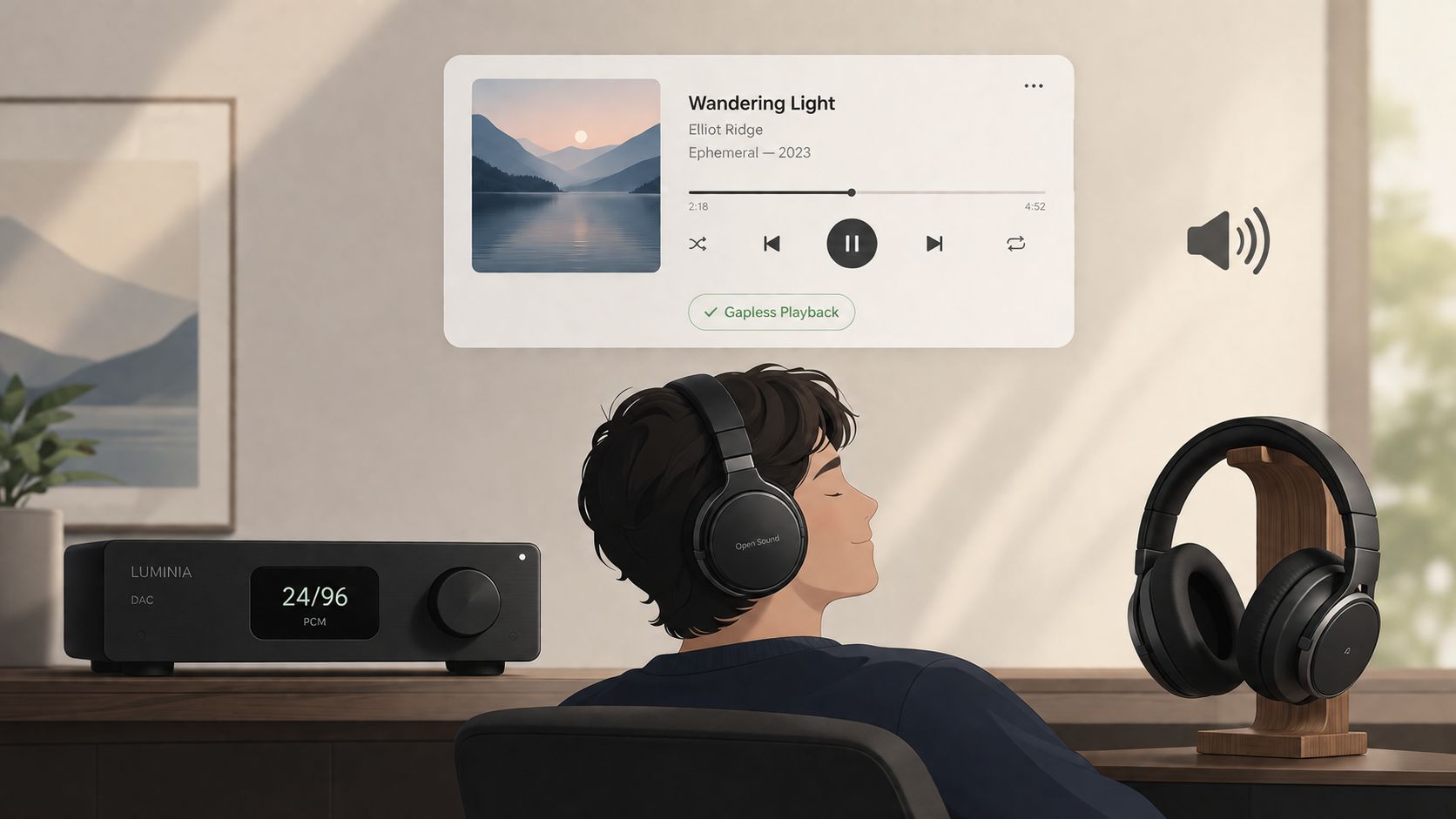
The playback chain decides whether hi res audio is even being reproduced meaningfully. A hi res file played through a weak chain may still sound fine, but it won't tell you much about the file's potential.
What matters most in the playback chain
Start with the DAC, or digital-to-analog converter. Its job is to turn digital data into the analog signal your headphones or speakers can reproduce. If the DAC can't handle the file's format cleanly, the hi res label won't help.
Then look at transducers. Headphones and speakers shape more of the final sound than many people expect. A transparent pair of studio headphones can reveal timing, reverb tails, and harshness that cheaper playback hides. Room acoustics matter just as much for speakers. Reflections and background noise can erase subtle benefits fast.
A simple creator checklist helps:
- DAC support: Make sure your interface or DAC can handle the resolutions you plan to audition.
- Reliable headphones or monitors: Use something you already know well, rather than chasing hype.
- Quiet environment: Critical listening falls apart in noisy spaces.
- Level matching: Louder often sounds “better,” even when it isn't.
If you skip level matching, you can convince yourself that a version is richer when it's just slightly louder.
Software setup that avoids false impressions
Software can also get in the way. Some players resample everything. Some operating systems apply processing unless you disable it. Some apps make it hard to confirm what's reaching your DAC.
Use a player that exposes output settings clearly and lets you verify the active format. In a DAW, check your project settings and export path. In a music player, confirm whether any DSP, normalization, or enhancement is active.
A short demo is useful here if you want to see the broader idea of hi res playback and setup in practice.
Keep expectations grounded. Better playback gear can help you hear more, but it can also expose problems in the recording, mix, or master. That's useful for creators. It means your listening setup becomes a diagnostic tool, not just a luxury.
Best Practices for Recording Mixing and Mastering
The most important truth in this topic is uncomfortable because it's less glamorous than “higher numbers sound better.” Mastering quality matters more than resolution alone.
The strongest version of that point appears in the creator conversation around blind listening. Double-blind tests associated with AES discussions are cited as showing that 99% of listeners cannot distinguish between CD quality and hi res recordings, and the same discussion emphasizes that mastering quality often matters more than file resolution, as summarized in this discussion of blind-test results and mastering.
Why source quality wins
A clean, balanced recording at standard resolution usually beats a harsh, clipped, poorly controlled recording at higher resolution. That's the mastering bottleneck in plain terms. If the original capture is weak, hi res preserves the weakness in greater detail.
For spoken word, this matters even more. Listeners care about intelligibility, tone, and consistency. They don't care whether the room echo was captured at a bigger file size.
A well-recorded file gives your mix room to breathe. A poorly recorded file gives you restoration work.
A practical production chain
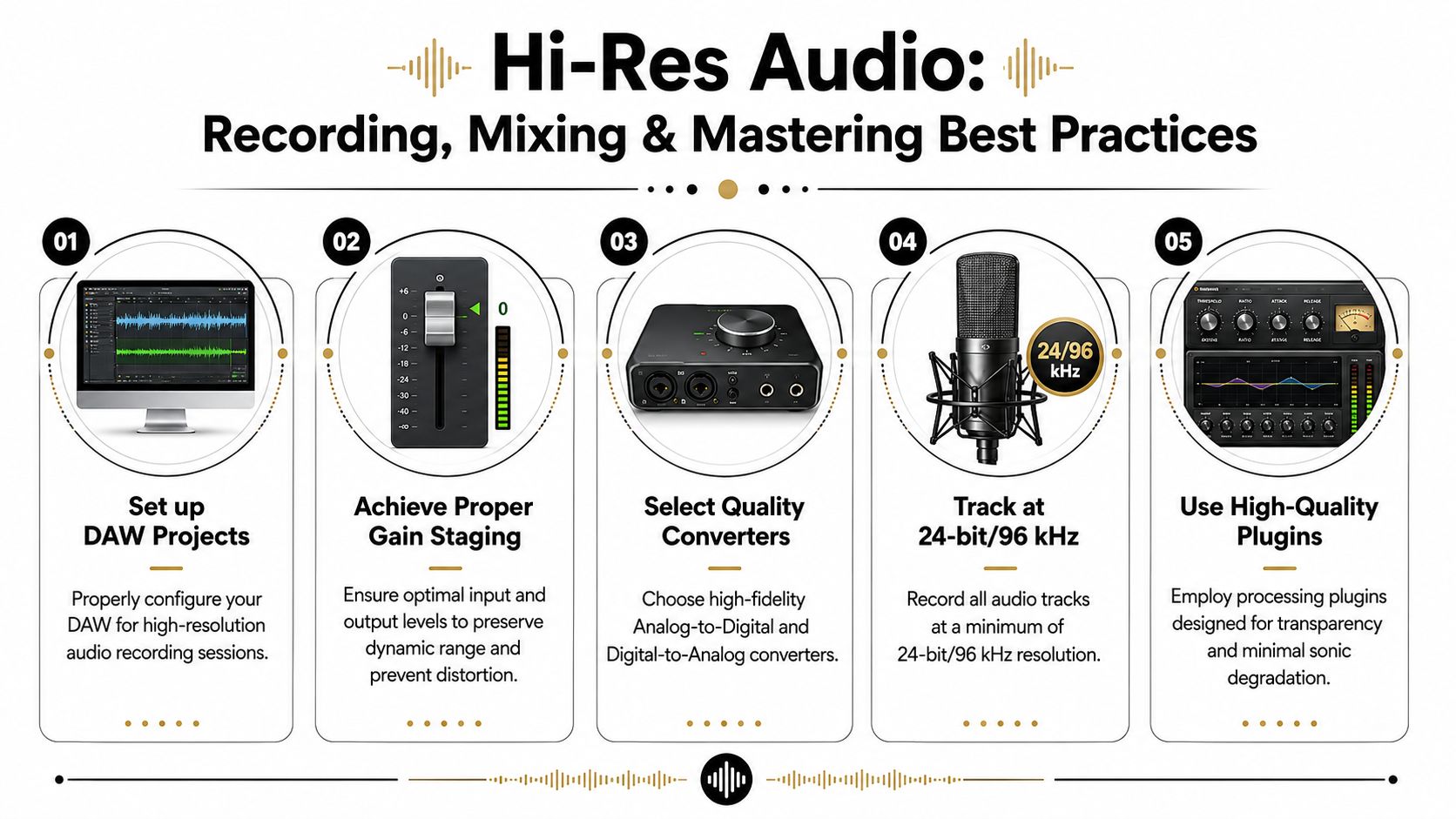
For most creator workflows, these habits matter more than format arguments:
- Track conservatively. Leave headroom instead of recording too hot.
- Choose stable project settings. If your session needs hi res for production reasons, keep that choice consistent from recording through export.
- Use transparent processing. EQ, compression, and restoration should solve clear problems, not create new ones.
- Watch cumulative damage. Repeated exports and unnecessary conversions can create confusion and version sprawl.
- Dither when reducing bit depth. If you're making a lower-resolution delivery from a higher-resolution master, handle the final conversion deliberately.
That workflow keeps hi res useful where it helps most: during capture, editing, and mastering decisions.
Managing and Accessing Hi Res Files with Workflows
The theoretical discussion gives way to practical application. When working with hi res files, you deal with verification, naming, conversion, storage, and delivery. If your process is messy, higher resolution becomes friction instead of value.
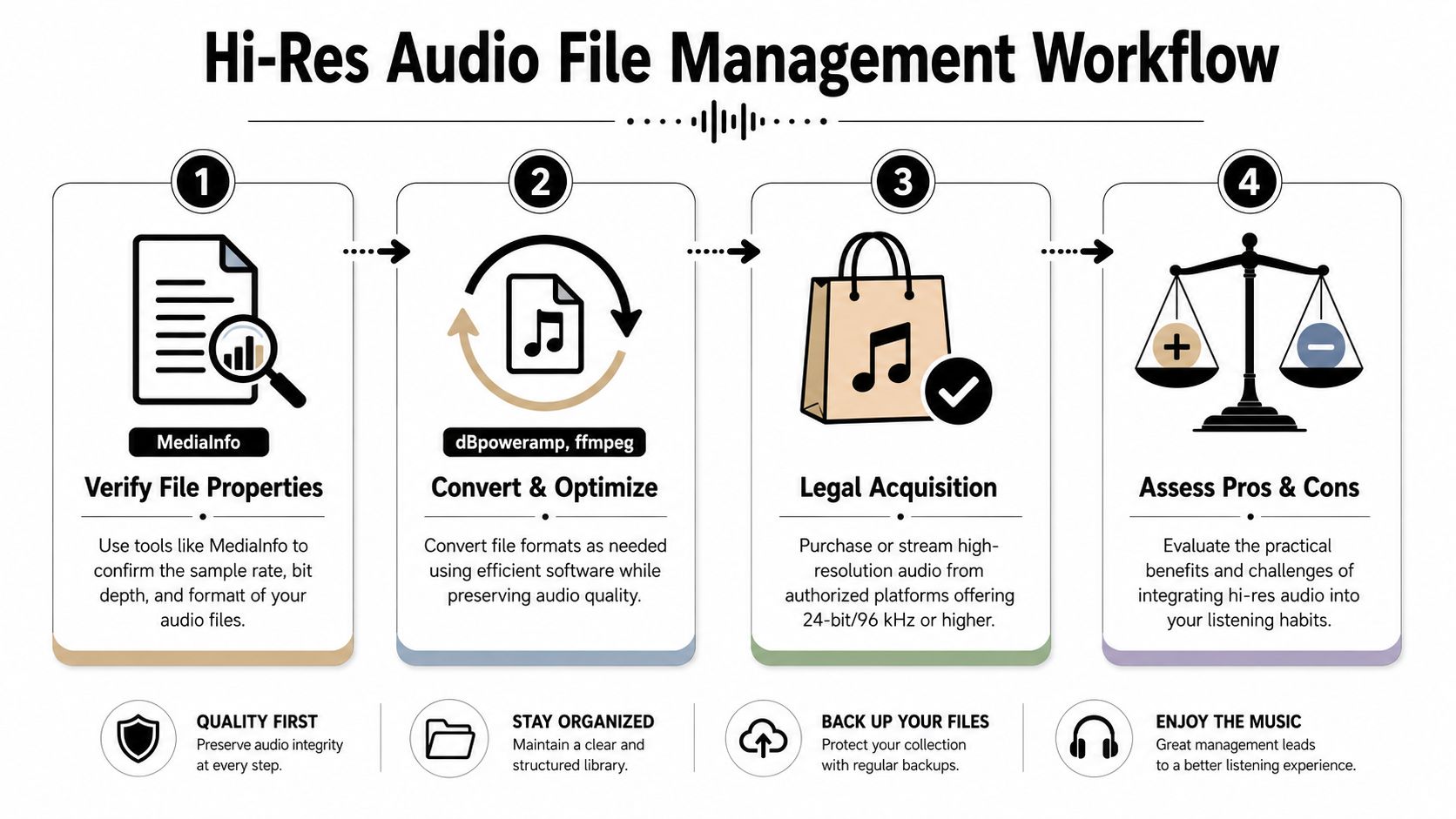
A creator friendly workflow
A simple workflow starts with verification. Use a file inspection tool such as MediaInfo to confirm what you received. Never trust file names alone. A file labeled “studio master” may still have been converted somewhere upstream.
Then move to organization. Keep one folder for raw source files, one for edited working files, and one for final exports. Name files in a way that tells you the project, date, version, and role. That sounds basic, but it prevents a lot of avoidable mistakes when clients ask for revisions.
Conversion comes next. Tools such as ffmpeg or dBpoweramp are useful when you need to move between archival, editing, and delivery formats. The rule is simple: convert only when the workflow requires it. Don't create five nearly identical versions because the software makes it easy.
Here's a practical sequence many creators can use:
- Ingest first: Copy the original file into a protected raw-assets folder before editing.
- Inspect details: Confirm sample rate, bit depth, codec, and channel layout.
- Make a working copy: Edit the duplicate, not the original.
- Export with intent: Create separate outputs for archive, collaboration, and publication.
That last step matters because one project may need several valid endpoints. A music master, a podcast episode, and a social cutdown don't all need the same delivery file.
When hi res helps and when it slows you down
For music creators, hi res files can make sense as source and archive material. For podcasters and dialogue editors, the value is narrower. Studies discussed in creator-facing analysis note that ultrasonic content above 20 kHz is imperceptible for speech, making hi res less relevant for dialogue-focused work than cleanup tasks such as noise reduction and stem separation, as explained in this discussion of hi-res audio and speech.
That has real workflow consequences.
If you record an interview at high resolution but the room has HVAC noise, distant mic placement, and mouth clicks, your best gains won't come from preserving ultrasonic information. They'll come from cleaning the recording, isolating dialogue, and exporting a sensible final file for the platform.
A practical way to decide is to sort projects into three buckets:
| Project type | Keep hi res during production | Final delivery priority |
|---|---|---|
| Music recording and mastering | Often yes | Depends on release platform and audience |
| Film or video dialogue post | Sometimes | Clarity, consistency, and mix translation |
| Podcasts, interviews, lectures | Occasionally | Speech intelligibility and manageable files |
Legal access also matters. Some stores and streaming services offer studio-quality catalogs, and mainstream platforms have made hi res access easier. But access is only half the story. Creators still need to ask whether they should keep files at full resolution throughout the whole chain or convert them at specific milestones.
A useful decision pattern looks like this:
- Archive at highest trusted quality when the source may need future reuse.
- Edit in a stable working format your software handles reliably.
- Deliver for the platform your audience uses.
Keep the best source you have. Publish the version the project needs.
That approach avoids a common mistake: treating every deliverable as if it must preserve every technical ceiling of the source. A dialogue track for an online course doesn't become more effective because it remained oversized all the way to the learner's earbuds.
The best hi res workflow is selective, not maximalist.
Conclusion and Next Steps
Hi res audio is useful, but it isn't a shortcut. It has a formal technical meaning, it can improve production flexibility, and it can preserve more from a strong source. It can also distract creators who would benefit more from better capture, stronger editing decisions, and cleaner restoration.
For musicians and engineers, hi res often makes the most sense during recording, mixing, mastering, and archiving. For podcasters, educators, journalists, and video editors, the bigger wins usually come from reducing noise, controlling room problems, and making speech easier to understand.
That's the practical lens worth keeping. Don't ask whether hi res audio is universally better. Ask whether it helps this project, this workflow, and this audience.
Use it where it supports quality. Skip it where it only adds storage and complexity. If you make that decision deliberately, the format serves the work instead of becoming another checkbox.
If your recordings need more than a higher sample rate, try ClearAudio. It helps creators clean noise, reduce hum and room echo, isolate speech or vocals, and prepare audio for delivery without building a complicated restoration chain. That's often the missing step between a technically fine file and one people enjoy listening to.