You've finished recording an interview, lecture, or podcast episode, but the voice is buried under HVAC rumble, room echo, keyboard clicks, or street noise. The waveform looks usable, yet every playback forces you to work around the same problem: the speaker's words are present, but they don't arrive cleanly.
Speech enhancement online can rescue that kind of recording, but only when you treat it as a decision rather than a one-click miracle. The right process depends on what you need at the end. Human listeners may prefer a natural voice with some room tone, while an automatic transcription system may benefit from a more focused speech signal. Video editors often need dialogue that can sit inside a larger mix, not an aggressively isolated voice that sounds synthetic.
Table of Contents
- What Speech Enhancement Online Actually Does
- How AI-Powered Audio Processing Works
- The Intelligibility Trade-Off in Noise Reduction
- Choosing the Right Quality Mode for Your Project
- Recommended Workflows for Different Creator Types
- How Enhancement Affects Transcription and ASR Accuracy
- Evaluating Online Speech Enhancement Tools
What Speech Enhancement Online Actually Does
Suppose you've recorded a two-person interview in a coffee shop. The speakers are understandable, but cups clink, an espresso machine runs nearby, and the room adds a short, unpleasant reflection to every sentence. A browser-based enhancement tool gives you a way to upload that file, identify what matters, and ask the system to preserve the speech while reducing competing sound.
That's different from turning up the volume. Normalization changes level. Speech enhancement changes the balance and structure of the recording. A capable system analyzes the audio, estimates which parts belong to the voice, and reconstructs a version where dialogue has more presence against noise, hum, hiss, echo, or background clutter.
Problems online enhancement can address
Most browser tools are useful when the recording contains a recoverable speech signal surrounded by interference. Common candidates include:
- Steady noise: HVAC, computer fans, electrical hiss, and low-level room wash can often be reduced without changing the entire character of the voice.
- Hum and rumble: Low-frequency mechanical noise can mask speech presence and make a recording feel heavy.
- Room echo: Enhancement may reduce reflections that blur consonants, though it can't recreate the dry sound of a studio microphone.
- Wind and handling noise: Some systems can suppress bursts and movement noise when the speech remains audible beneath them.
- Uneven presence: A weak or distant voice can sometimes be brought forward, especially when the recording hasn't been clipped.
The limits matter just as much. If the microphone was covered, the speaker was facing away, the dialogue is severely clipped, or another sound completely masks the words, processing can't reliably reconstruct information that was never captured. It may produce a smoother file, but smoothness isn't the same as accuracy.
Practical rule: Keep an untouched original. Process a copy, compare short sections, and judge the result by words, consonants, pauses, and natural voice texture, not by noise level alone.
The most useful prompt or target setting is usually specific. “Keep the primary speaker,” “isolate dialogue,” or “preserve vocals” gives the system a clearer objective than asking for “clean audio.” That distinction becomes important when the file also contains music, multiple voices, or deliberate ambience.
How AI-Powered Audio Processing Works
A useful way to understand AI audio cleanup is to think of the recording as a layered photograph. The finished image contains a person, a background, shadows, and reflections. Enhancement software tries to identify those layers, decide which one matters, and rebuild the picture after reducing the unwanted parts.
The underlying methods have changed substantially. Earlier speech-enhancement systems relied on classic signal-processing techniques such as Wiener filtering and noise-floor estimation. Later dynamic approaches tracked changing noise without requiring a dedicated noise-only segment, and newer neural methods learn patterns that help them respond to complex real-world backgrounds. This progression from rule-based processing to machine learning is described in a historical overview of AI audio enhancement.
The processing pipeline
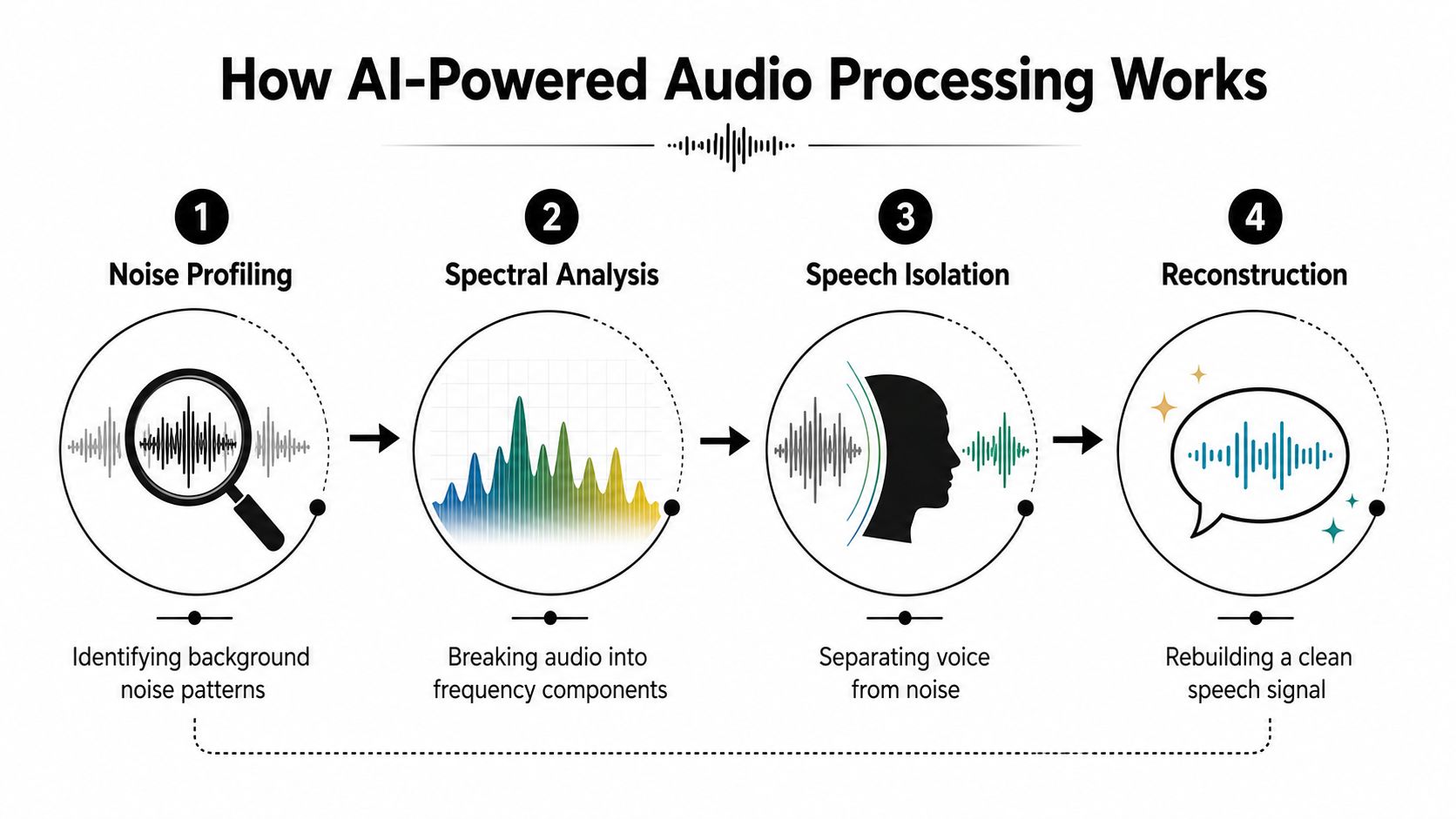
Noise profiling identifies recurring background patterns. A fan has a different acoustic signature from traffic, keyboard clicks, or a second speaker. The system looks for those patterns rather than treating every sound as equally disposable.
Spectral analysis breaks the recording into frequency components. Human speech occupies a changing range of frequencies, and those components shift with vowels, consonants, pitch, and pronunciation. The system uses that changing structure to distinguish speech from more stable or unrelated material.
Speech isolation estimates which elements should remain. Neural models can be more adaptable than fixed filters. A rule may reduce a frequency band whenever it detects noise, while a trained model can evaluate the broader context and track changing interference.
Reconstruction rebuilds the output signal. The model doesn't delete every non-speech sound. It creates a new audio version, which is why excessive processing can introduce watery textures, metallic edges, or a voice that seems detached from the original room.
A quiet studio recording usually needs restraint. A coffee-shop interview may benefit from stronger separation, but the more complicated the noise, the more important it is to audition the result for artifacts. The model's confidence can change from sentence to sentence, especially when the speaker whispers, overlaps another voice, or pauses against a noisy background.
For a listening workflow, spoken versions of written guidance can also help you review techniques away from the edit desk. Tools that let you listen to web articles can turn reference material into an audio checklist for field work or post-production.
The practical question isn't whether AI sounds impressive in a preview. It's whether the output preserves the speech cues your audience needs while removing enough distraction to make listening easier.
The Intelligibility Trade-Off in Noise Reduction
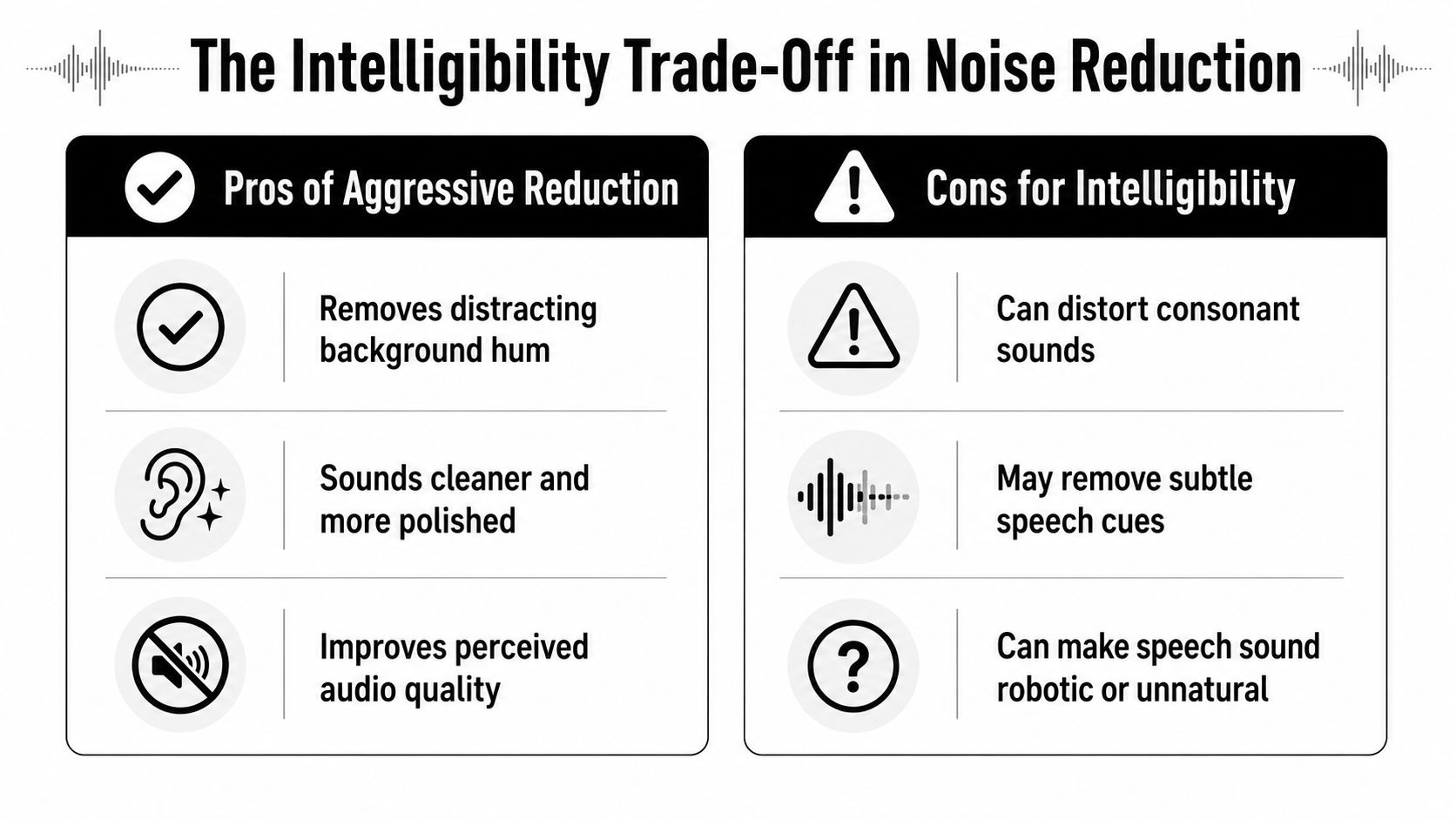
Cleaner audio can be harder to understand. That sounds counterintuitive until you hear what aggressive suppression does to consonants, breaths, word endings, and transitions between syllables. A voice may become more prominent while losing the small details that make speech recognizable.
Controlled listening research has found that stronger denoising doesn't automatically improve intelligibility. In one study, most tested algorithms reduced intelligibility, and the degradation behaved largely like a constant signal-to-noise-ratio shift, with limited additional interaction beyond that shift. The implication for online enhancement is direct: maximum noise reduction isn't the same target as maximum comprehension. See the controlled study of noise suppression and speech intelligibility.
What overprocessing sounds like
Listen for the moments between obvious noise and obvious speech. Overprocessed dialogue often shows itself through:
- Swallowed consonants: “t,” “k,” “p,” “s,” and word endings become vague or disappear.
- Robotic texture: Sustained vowels develop a watery, phasey, or metallic quality.
- Pumping: The background rises and falls unnaturally around each phrase.
- Broken room continuity: The voice sounds unnaturally dry while the remaining ambience jumps between gaps.
- Unnatural pauses: Noise gates or aggressive separation may make breaths and quiet transitions feel chopped.
A good evaluation uses a short representative passage, not only the worst noisy moment. Compare the original and processed versions at a comfortable listening level, then ask whether you can transcribe the words more confidently. If the cleaned version feels quieter between phrases but less reliable during speech, back off.
The best setting is often the one that leaves a little noise behind while keeping every important word intact.
Human listening and editorial polish can tolerate different compromises. A documentary may need believable ambience around dialogue. A training video may prioritize directness and consistency. A podcast interview may sit somewhere between, with enough room tone to avoid an artificial sound but not enough distraction to pull attention away from the guest.
That's why quality modes and intensity controls matter. A single “enhance” button may be convenient, but professional judgment still comes from listening for speech detail, not rewarding the software for making the waveform look cleaner.
Choosing the Right Quality Mode for Your Project
Quality modes are practical compromises between computational depth, turnaround, and the kind of output you need. The fastest mode can be appropriate for an internal review or a rough transcript. A slower, more detailed mode makes more sense when the cleaned file will be published, handed to a client, or placed into a video timeline where artifacts will remain audible.
Start with the downstream requirement. Don't choose the highest setting automatically if you're checking a long batch of meeting recordings, and don't use a quick preview mode as the final export for a close-miked interview that will sit under a finished edit.
Quality mode comparison for speech enhancement
| Mode | Processing Speed | Quality Level | Best For |
|---|---|---|---|
| Quick or small | Fast turnaround | Basic cleanup and separation | Rough reviews, internal audio, quick checks, and rapid iteration |
| Balanced or base | Moderate turnaround | Practical balance of detail and speed | Interviews, lectures, podcasts, and routine creator work |
| High quality or PRO | Slower turnaround | More detailed processing with stronger reconstruction | Client-facing dialogue, publication-ready podcasts, and difficult recordings |
| High quality video mode | Slower turnaround | Enhanced processing designed for demanding media workflows | Video files, film dialogue, and projects where the cleaned result must survive a larger mix |
File type also changes the decision. Audio-only work is usually easier to test in short excerpts, while video workflows need to preserve synchronization and deliver a file that fits the editing pipeline. If you're evaluating a tool such as ClearAudio, its available modes range from Small for quick processing and Base for balanced speed and quality to PRO Large and PRO Large-TV, with the latter intended for video files.
A practical selection method
Use the quick mode to answer a diagnostic question: does the tool understand the recording and isolate the right material? If the voice is wrong, no quality tier will fix the project objective. Move to a balanced mode when the target is correct but you need a more usable result.
Reserve the highest tier for material where naturalness, difficult background conditions, or final delivery quality justify the extra wait. Export a short test, listen for consonants and artifacts, then process the full file only after the mode proves itself.
Recommended Workflows for Different Creator Types
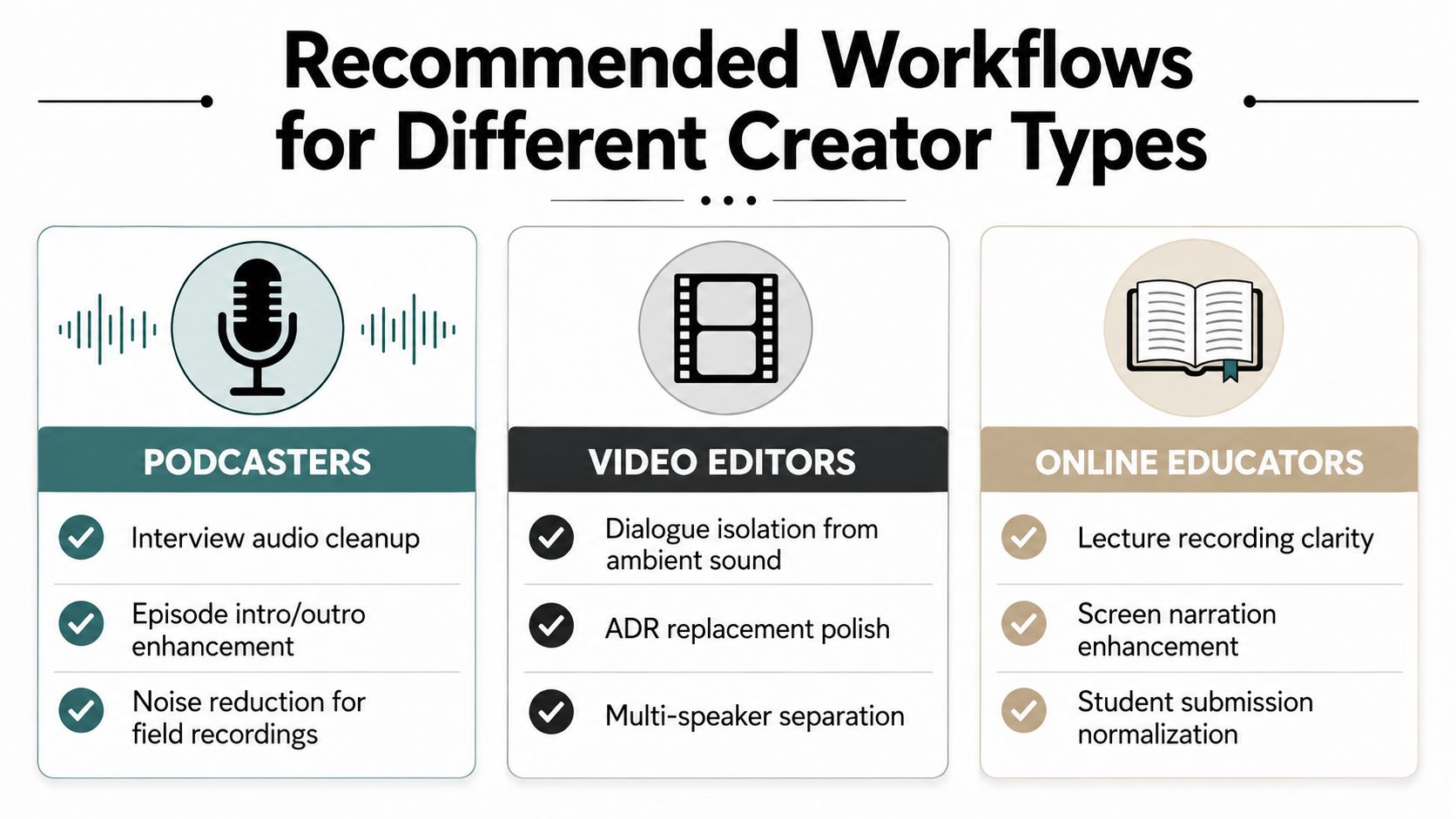
The same enhancement setting can be right for one creator and wrong for another. A podcaster usually wants a believable voice that still belongs in the recorded space. A transcription team wants the clearest possible word stream. A video editor needs dialogue that can be shaped again alongside music, effects, and ambience.
Podcasters
Begin with the speaker or dialogue target and a balanced quality mode. Preserve enough room tone that edits don't sound like the guest is moving between acoustically unrelated spaces. For a field interview, reduce steady background noise first, then check whether the guest's sibilants, breaths, and low-volume phrases remain natural.
If the episode includes music, don't ask a speech-focused model to solve the entire mix unless the tool is designed for that separation. Keep the original music and ambience available so you can mix them independently in a digital audio workstation.
Video editors
For dialogue post-production, isolate the spoken track rather than flattening the whole soundtrack. A higher quality mode is sensible when the result will be cut against production sound, ADR, music, or effects, because metallic artifacts can become obvious once the dialogue is placed beside clean elements.
Work in short sections around the hardest problems. A single setting may not suit a quiet close-up, a moving outdoor shot, and a crowded room. Keep the processed output aligned with the original edit and retain the untreated track for moments where natural ambience matters more than maximum separation.
Musicians and producers
Choose the element you need to preserve, such as vocals, rather than treating a full mix as generic speech. Listen for sustained notes, breath detail, vibrato, and reverb tails. Stem extraction can be useful for remixing, but an isolated vocal may require additional editing before it fits musically with a new arrangement.
Creators building broader production workflows may also find a curated guide to 10 AI tools for freelancers useful when deciding which tasks belong in a browser tool and which belong in a desktop session.
Transcription teams and educators
For lectures, interviews, and submitted recordings, start with a speech-focused target and a balanced or high-quality mode. Judge the output by transcript performance, not just headphone appeal. Keep a version with moderate processing available, because an aggressively isolated voice can lose pronunciation cues that a listener or ASR engine needs.
A repeatable workflow matters more than a dramatic preview. Record the source condition, test a representative excerpt, compare the transcript, and document which mode worked for that type of speaker and environment.
How Enhancement Affects Transcription and ASR Accuracy
Speech enhancement can help automatic speech recognition when it exposes speech that noise was masking. It can also hurt when the model removes or reshapes details that the recognizer uses to distinguish similar words. The cleanest waveform and the most accurate transcript aren't guaranteed to be the same output.
A clinical study reported speech reception threshold improvements from 1.4 to 6.4 dB for noise-specific neural networks across stationary and non-stationary backgrounds, as documented in the study of neural speech enhancement for noisy listening conditions. In practical terms, a lower threshold means listeners or downstream recognition systems can understand speech at a weaker speech-to-noise ratio. That's relevant to field recordings, interviews, and call audio, but the result also carries a warning: performance depends on how well the model matches the noise condition.
Test the transcript, not just the playback
Run the same excerpt through your transcription system before and after enhancement. Compare:
- Names and technical terms: These expose subtle recognition failures quickly.
- Short function words: Missing small words can change meaning even when the sentence sounds broadly understandable.
- Speaker turns: Overlap and aggressive separation can confuse diarization.
- Numbers and spelling: Audio that feels clear to a human may still produce errors in structured content.
- Low-volume phrases: These often reveal whether enhancement restored detail or replaced it with artifacts.
Online testing has its own measurement problems. A 2021 study found web listener cohorts scored 3 to 6 percentage points lower than laboratory cohorts on sentence transcription tasks, while three web replications fell short by 5.5, 3.6, and 3.2 percentage points; it also reported one correctable word error per 952 words online versus one per 889 words in the laboratory modality. The Journal of the Acoustical Society of America study shows why browser-based listening evaluations need controlled conditions.
A PubMed-indexed study found crowdsourced listeners produced intelligibility scores up to 7 percentage points lower than in-person listeners, reinforcing that the listening environment can affect the measurement itself. Don't treat one casual browser preview as a definitive quality test.
Enhancement and ASR are increasingly treated as a joint problem rather than two unrelated stages. Recent review and challenge literature discusses joint optimization, data curation, and generalization, which supports a practical conclusion: choose the output objective first. Human comprehension, transcript accuracy, and natural-sounding dialogue may require different processing choices.
Evaluating Online Speech Enhancement Tools
A browser tool earns a place in a professional workflow by handling the constraints around the model, not just by producing an impressive before-and-after clip. Test the service with your own recordings, including easy material and the difficult files you normally avoid.
Check these decision points
- Target control: Can you specify speaker, dialogue, vocals, music, or another element to preserve?
- Processing depth: Are quick and high-quality modes clearly differentiated, and can you preview before committing to a full export?
- Latency: For live communication or interactive web apps, ask whether the system supports low-latency processing. Recent work frames the 0.3 to 1 second range as a meaningful online enhancement milestone in 2025 Interspeech research.
- Output compatibility: Confirm whether the service accepts the audio or video formats your editor, captioning system, or archive requires.
- Privacy and storage: Find out whether files are processed in the browser or uploaded to external servers, how long they remain available, and who can access project data.
- Workflow management: Teams need project organization, repeatable settings, secure sign-in, and predictable exports, not only a single upload box.
- Pricing clarity: Review limits, quality-mode availability, and terms before building a batch workflow around the platform.
For sensitive interviews, customer calls, or unpublished footage, data handling deserves the same attention as sound quality. For live calls, latency can matter more than a small improvement in offline polish. For a finished documentary, naturalness and editorial control may outweigh speed.
Choose the tool that matches your actual delivery requirement. Then validate it with speech recognition and human listening, because a polished preview can hide the exact trade-off your audience will notice.
ClearAudio lets you upload audio or video in the browser, specify what to keep, and choose processing depth for tasks such as dialogue cleanup, vocal isolation, and speech enhancement. Visit ClearAudio to test a workflow against your own recordings and decide whether its output preserves the intelligibility and naturalness your project requires.