
The most popular advice about stem separation online is to pick the tool with the highest-rated AI model. That's too narrow. The right choice depends on the source mix, the stems you need, turnaround time, file constraints, privacy requirements, and what happens after separation. A karaoke backing track, a rehearsal track, a remixed song, and dialogue prepared for publication all demand different workflows.
This comparison evaluates ten services by workflow fit, not by feature-counting. The important questions are whether a tool isolates the required source cleanly, accepts your files conveniently, supports fast or quality-focused processing, handles repeated jobs, offers an export path that suits your editor or DAW, and gives you enough control over privacy and retention. Processing mode matters too. A fast queue may be useful for auditioning, while a slower, higher-quality mode can justify itself when artifacts would create extra cleanup.
Artifacts are normal. Source separation is enhancement, not the recovery of perfect original masters. The field has developed from research that emerged around the mid-1990s and early 2000s, entered IEEE's taxonomy in 2006, and expanded into a broad research area by the 2020s, as documented in this historical review of acoustic source separation. You'll still need to listen, trim, balance, equalize, and sometimes repair the resulting stems. If you're exploring adjacent creative workflows, this guide to tools for creating music with AI is a useful companion.
Table of Contents
- 1. ClearAudio
- 2. LALAL.AI
- 3. Moises
- 4. AudioShake
- 5. Splitter.ai
- 6. VocalRemover.org
- 7. Melody.ml
- 8. EZstems
- 9. X-Minus.pro AI
- 10. Fadr
- Top 10 Online Stem Separation Tools Comparison
- Turn Separated Stems Into Usable Tracks
1. ClearAudio
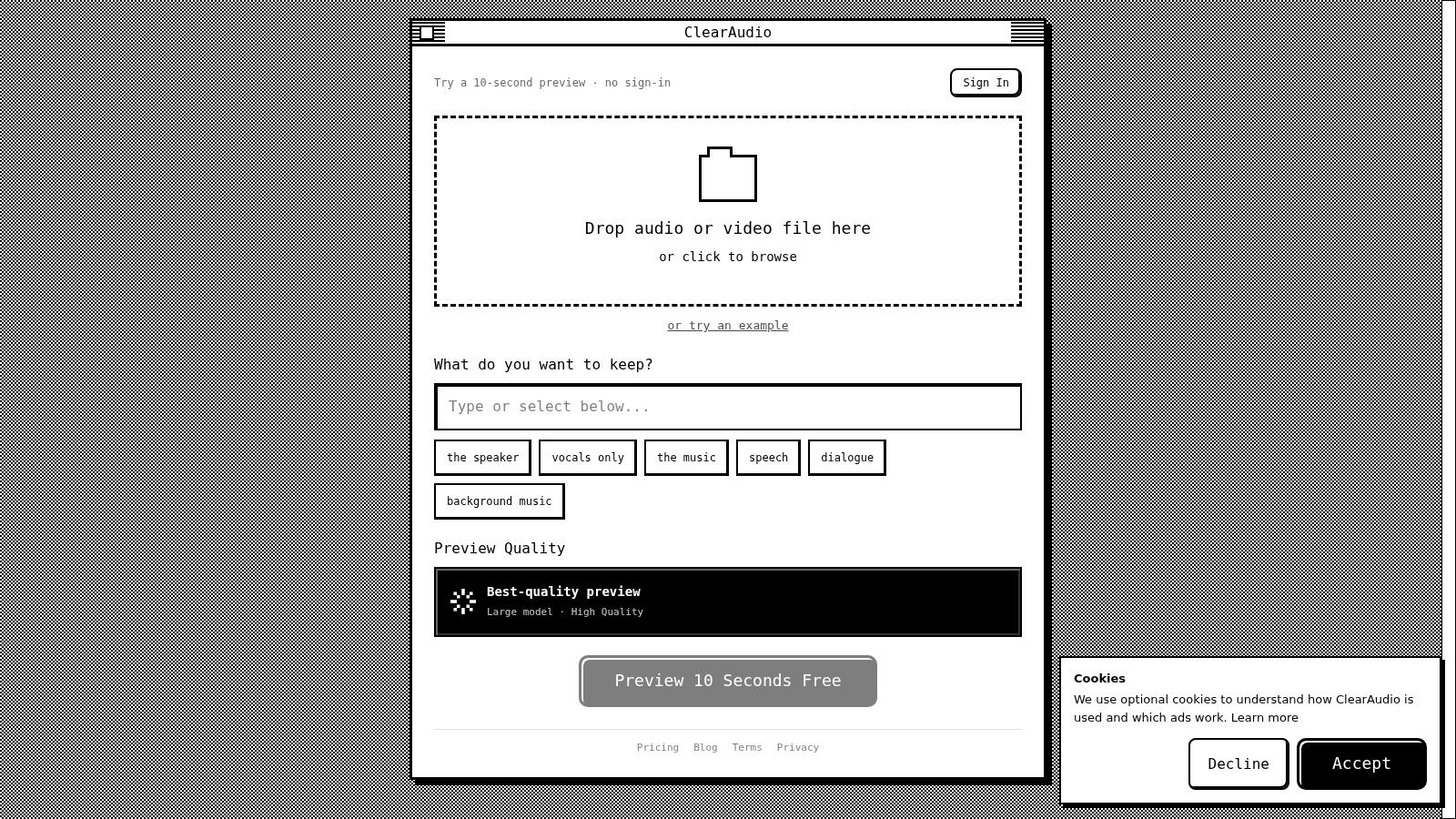
ClearAudio is the strongest fit when the request is expressed in terms of what should remain audible, rather than which conventional music stem you want. Upload an audio or video file in the browser, describe the target with a prompt such as speaker, vocals, music, speech, dialogue, or background music, and audition the result before committing through its short preview workflow. That makes it especially practical for podcasters, editors, journalists, and creators who need an intelligible source from a mixed recording without learning a technical separation interface.
The service offers quality modes that create a clear speed-versus-fidelity path. Small is suited to quick checks, Base balances turnaround and quality, while PRO Large and PRO Large-TV are aimed at higher-fidelity work, including video-capable processing. Advanced options provide more control for audio professionals, but beginners can stay with the prompt-driven workflow.
Best fit for dialogue and mixed recordings
ClearAudio's practical advantage is that it combines noise, hum, hiss, and room-echo reduction with isolation. A dialogue stem that technically contains less music may still be unusable if the voice sounds metallic or distant. The better workflow is to compare the isolated output with the original, then apply only gentle additional processing.
Practical rule: Use the prompt to define the target, then judge the result by intelligibility and natural ambience, not by silence around the voice.
In-browser processing removes the installation burden, and sign-in supports secure project management for teams. That matters when several people handle interviews, edits, or transcription queues. The trade-off is that browser workflows can impose upload, file-size, batch, or plan restrictions, and the public product information provided here doesn't establish detailed pricing. Check current plan terms before moving a large catalog or relying on a preview for delivery.
For post-processing, export the isolated source into your editor, remove obvious silence, check for clipped consonants and room-tone changes, then use light EQ and noise control. ClearAudio is the best first choice in this list when the job is “keep the dialogue” or “keep the vocal”, rather than “split this song into every conventional instrument.”
2. LALAL.AI
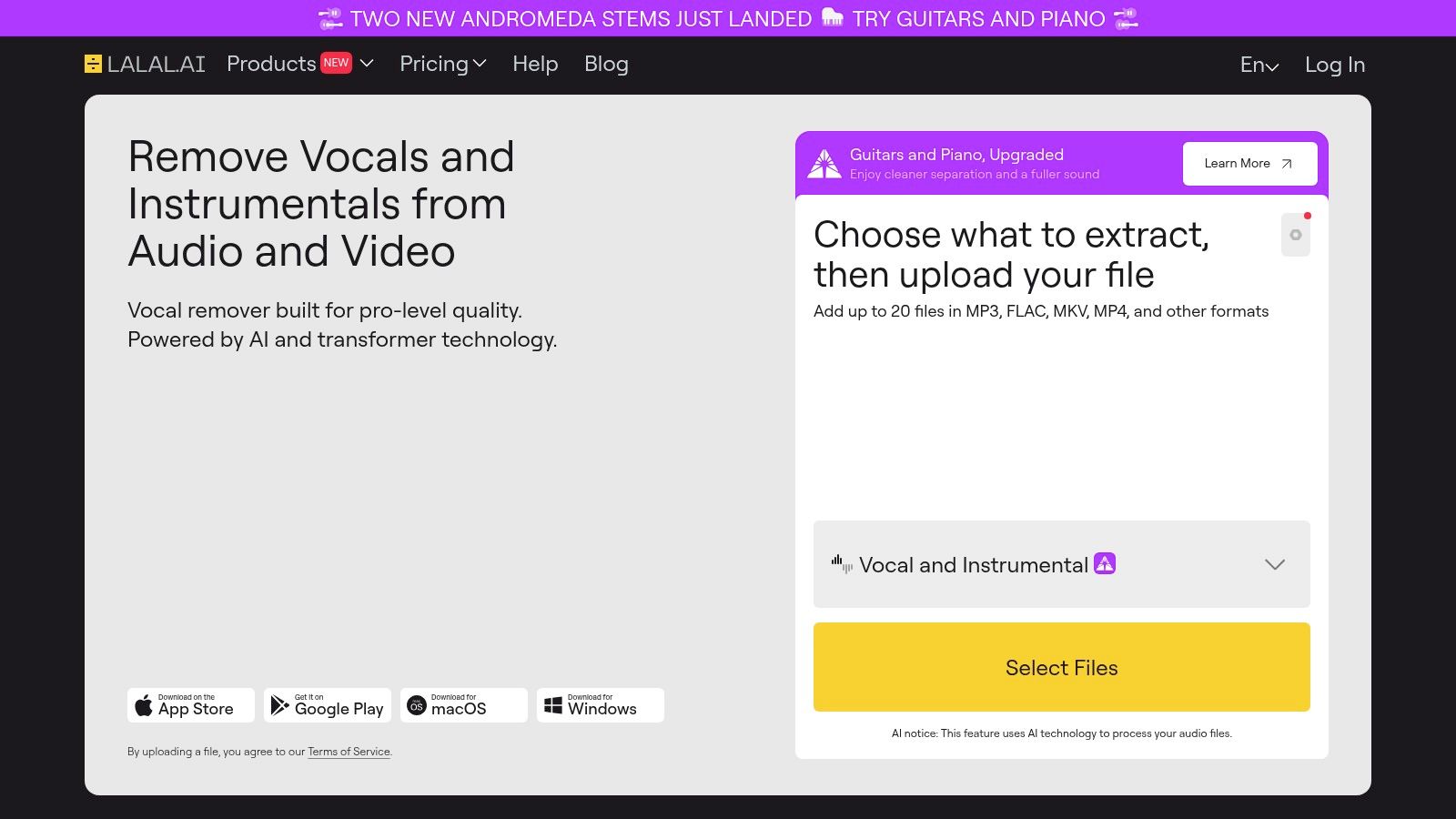
LALAL.AI makes the most sense for users who need more than the familiar vocal, drums, bass, and other arrangement. Its stem menu includes vocals, drums, bass, guitars, piano, synth, strings, and winds, giving remixers and producers a more targeted starting point than a basic two-stem vocal remover.
The service offers Fast and Relaxed processing queues. That distinction is useful in practice. Fast processing helps you test whether a song is separable before spending time on detailed editing, while the relaxed path is better suited to a result you intend to carry into a DAW. Paid plans support batch uploads, and the platform spans web, desktop, iOS, and Android. A VST plugin is available on its Pro pathway, while enterprise and API options support larger workflows.
Where its breadth helps
LALAL.AI is a strong choice when the intended edit depends on a specific instrument. Isolating a guitar or piano gives you a better chance of building a convincing remix than starting with a broad “other” stem and trying to remove unrelated elements afterward. Its vocal and drum workflows are also natural fits for practice tracks, acapella experiments, and arrangement analysis.
The limitation is not unique to this service. Dense mixes, live recordings, and heavy reverberation can contaminate the requested stem. Processing minutes are metered in the fast queue, so frequent users need to monitor usage rather than assume every test is free or unlimited.
After export, solo each stem against the full mix and listen for cymbal bleed, vocal reverb, doubled transients, and phase-like movement. A targeted guitar stem may need a narrow cleanup pass, while a vocal stem may benefit from de-essing and very restrained ambience restoration. LALAL.AI is the best workflow fit here for instrument-specific music separation with a path toward DAW integration.
3. Moises
Moises is built around the musician's next action. The service doesn't stop at producing stems. It combines separation with tempo, pitch, key, chord, and lyric tools, making it useful when the output is meant for rehearsal, learning, collaboration, or a quick rearrangement rather than only archival export.
Its web and mobile clients make the same project accessible across common practice contexts, while Moises Studio provides a collaborative browser workspace. DAW integrations help move material into production environments, and upgraded stem options are aimed at users who need more than a casual preview.
Choose it for practice first
A guitarist learning a song may care more about slowing a track, changing its key, and muting a part than about extracting an immaculate studio vocal. Moises keeps those tasks together. That reduces the need to download stems, open another application, and rebuild a practice session manually.
The trade-off is control. Producers who want detailed model choices, stem-specific restoration, or a highly export-centric interface may find the all-in-one approach less granular. Pricing visibility can also depend on sign-in, region, or device, so confirm the current plan before committing to regular use.
For cleanup, don't over-process rehearsal stems. Remove obvious clicks, trim the start and end, and set a comfortable monitoring level. If you're preparing the output for a remix, export each part separately, align them at the same start point, and inspect the low end before adding effects. Moises is the clearest recommendation for musicians who want separation as part of a practice and collaboration toolkit, not as an isolated technical operation.
4. AudioShake
AudioShake targets the professional side of the market. Its separation workflows cover music and speech or dialogue, with use cases including sync, remastering, dubbing, and accessibility. That positioning changes the buying question. You're not just asking whether a free web page can isolate a track. You're asking whether a service can fit a catalog, a post-production pipeline, or a delivery standard.
The platform offers an indie portal with per-stem purchasing and a professional route through AudioShake Live. Enterprise and API options support managed deployments and larger collections, which makes it more relevant to labels, publishers, post houses, and teams that process repeated jobs.
The catalog decision
AudioShake is a better fit when consistency, production handling, and business workflow matter more than instant experimentation. A professional user can evaluate a representative set of tracks, compare residual bleed, and decide whether the output is suitable for sync or restoration before scaling the process. That's a more defensible approach than choosing a service from one impressive demo.
The cost can be higher per track than a consumer application, and turnaround is oriented toward professional workflows rather than instant casual use. You should also review rights, retention, and delivery terms before uploading unreleased or commercially sensitive material.
Post-processing still matters. Compare the separated stem with the full mix, preserve the original file, and document any known artifact or missing transient. For speech, check consonant clarity and room continuity. For music, listen for bass distortion, cymbal smearing, and residual ambience. AudioShake is the best path in this list for professional catalog work where operational fit is part of audio quality.
5. Splitter.ai
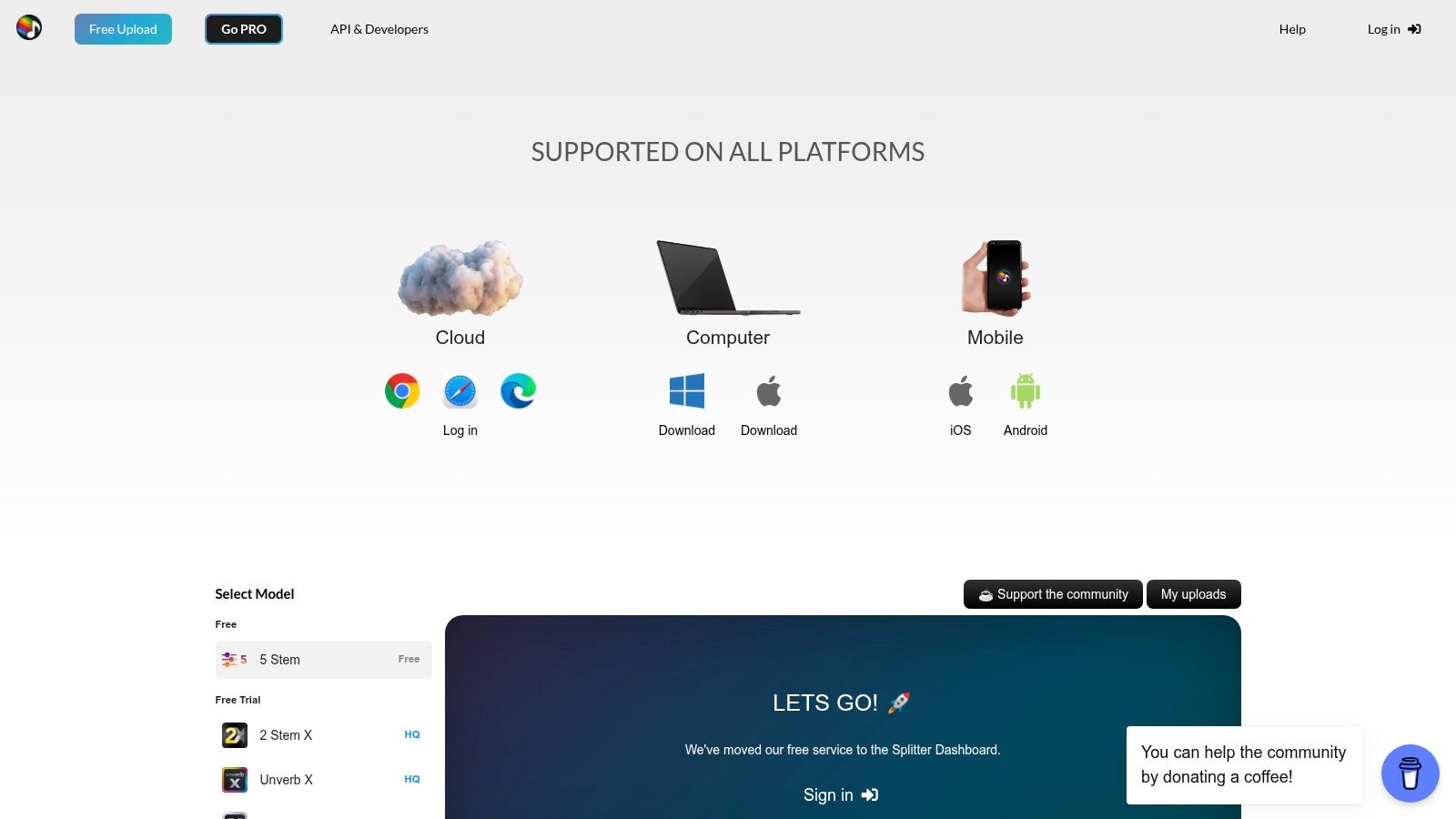
Splitter.ai is a low-friction option for users who want a quick browser split without setting up local software. Its Spleeter-based workflow supports two-stem and multi-stem outputs, and the Pro offering adds utilities such as reverb removal and direct YouTube splitting. An API and developer options make it more useful than a purely disposable karaoke page.
That simplicity is its strength. A musician can upload a track, test a vocal or result, and move on to a rehearsal or sketch quickly. Community support also helps users who want practical guidance without building a technical audio pipeline.
Where the model choice matters
Spleeter was a major practical step in online separation. Open-Unmix describes MUSDB18 as a freely available dataset containing 150 full-length tracks and about 10 hours of music, while a comparison of Open-Unmix and Spleeter documented competitive benchmark results around 2019 and 2020 in this technical review of music source separation. That history explains why Spleeter-based services remain useful, but it doesn't mean every newer model will behave the same way on difficult mixes.
Splitter.ai's quality can trail newer Demucs-class engines on some material. Dense arrangements, pronounced reverb, and live recordings are the cases where you should audition before planning a substantial edit. The service's public landing page may not expose every plan detail, so verify current limits and pricing before relying on Pro utilities or API access.
Use the output for sketches, practice, or simple remix construction, then apply corrective EQ only after checking the residuals. Splitter.ai is a sensible choice for fast, uncomplicated separation, not the first recommendation for release-critical restoration.
6. VocalRemover.org
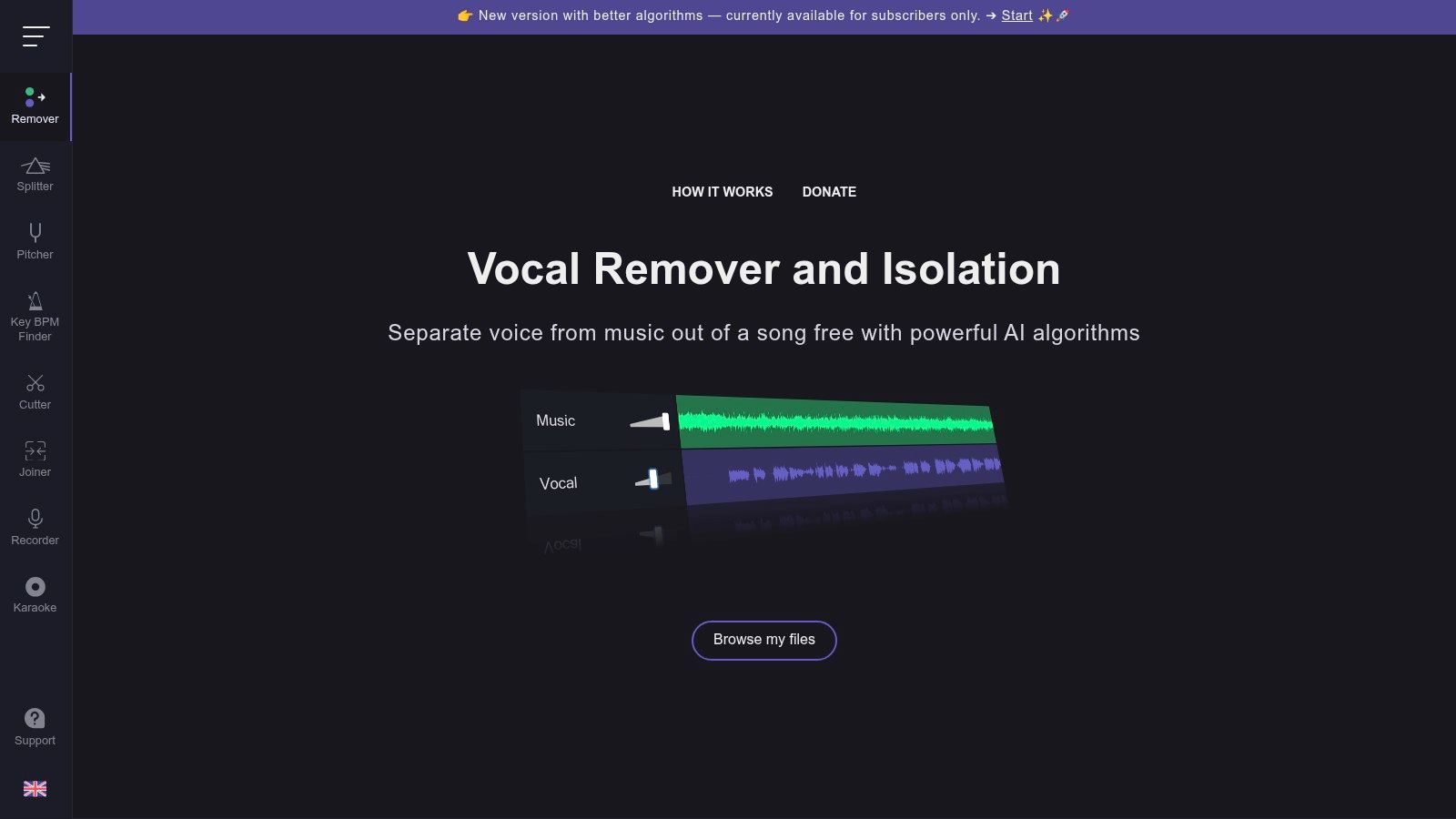
VocalRemover.org is designed around the most common request in browser audio work: make a backing track and a vocal-only track. Its basic Vocal Remover requires no account, and the separate Stem Splitter supports broader output. Extra tools cover pitch shifting, BPM and key detection, cutting, joining, and karaoke-oriented use.
That narrow focus is useful. If you're preparing a practice track or checking whether a chorus can work without the vocal, the interface gets you to an answer quickly. You don't need to configure a model, create a project, or understand a multistem production workflow.
Keep the task low stakes
The main path is two-stem separation, and multi-stem quality can be inconsistent. That's not a problem if the goal is karaoke, rehearsal, or a quick songwriting reference. It becomes a problem if you expect to isolate a particular guitar, preserve every drum transient, or deliver a clean commercial stem.
Listen for vocal reverb left in the backing track and backing track bleed left in the vocals. If the result sounds hollow, phasey, or unusually wide, compare it in mono and against the original mix. Trim silence and normalize listening levels before judging whether the separation is usable.
VocalRemover.org earns its place through speed and accessibility. Choose it when the cost of a failed experiment is low and the result only needs to support practice or a rough idea.
7. Melody.ml
Melody.ml offers a focused route to Demucs-based two-stem and four-stem outputs without requiring a local installation. The process is deliberately simple. Upload a song, receive the separated files through an email link, and download them when processing finishes.
The service publishes practical boundaries, including an upload ceiling of 100 MB and a maximum song length of 10 minutes, with files retained for one month, according to the product information supplied for this comparison. It also offers two free tracks for sampling and transparent per-song pricing or credit packs.
A good occasional-user compromise
Melody.ml is more suitable than a subscription-heavy platform when you separate songs intermittently. You can test Demucs quality in a browser, pay by song, and avoid maintaining a local environment. Email delivery also keeps the interface uncluttered, although it adds a step if you're working inside a fast editing session.
The limits shape the workflow. Long recordings, large source files, and repeated catalog processing don't fit as naturally. Queues may also slow at busy times, and there's no advanced project-management or batch environment for teams.
After downloading, name stems consistently and place them at a shared zero point in your DAW. Demucs outputs can be useful for remixing, but inspect vocals and “other” material carefully. A current benchmark comparison reports median SDRs of about 9.19 dB for vocals and 7.67 dB for other on MUSDB18-HQ among leading open-source models, illustrating why those categories often need more cleanup than bass or drums in this 2026 benchmark. Melody.ml is the right fit for occasional users who want a modern model without local setup.
8. EZstems
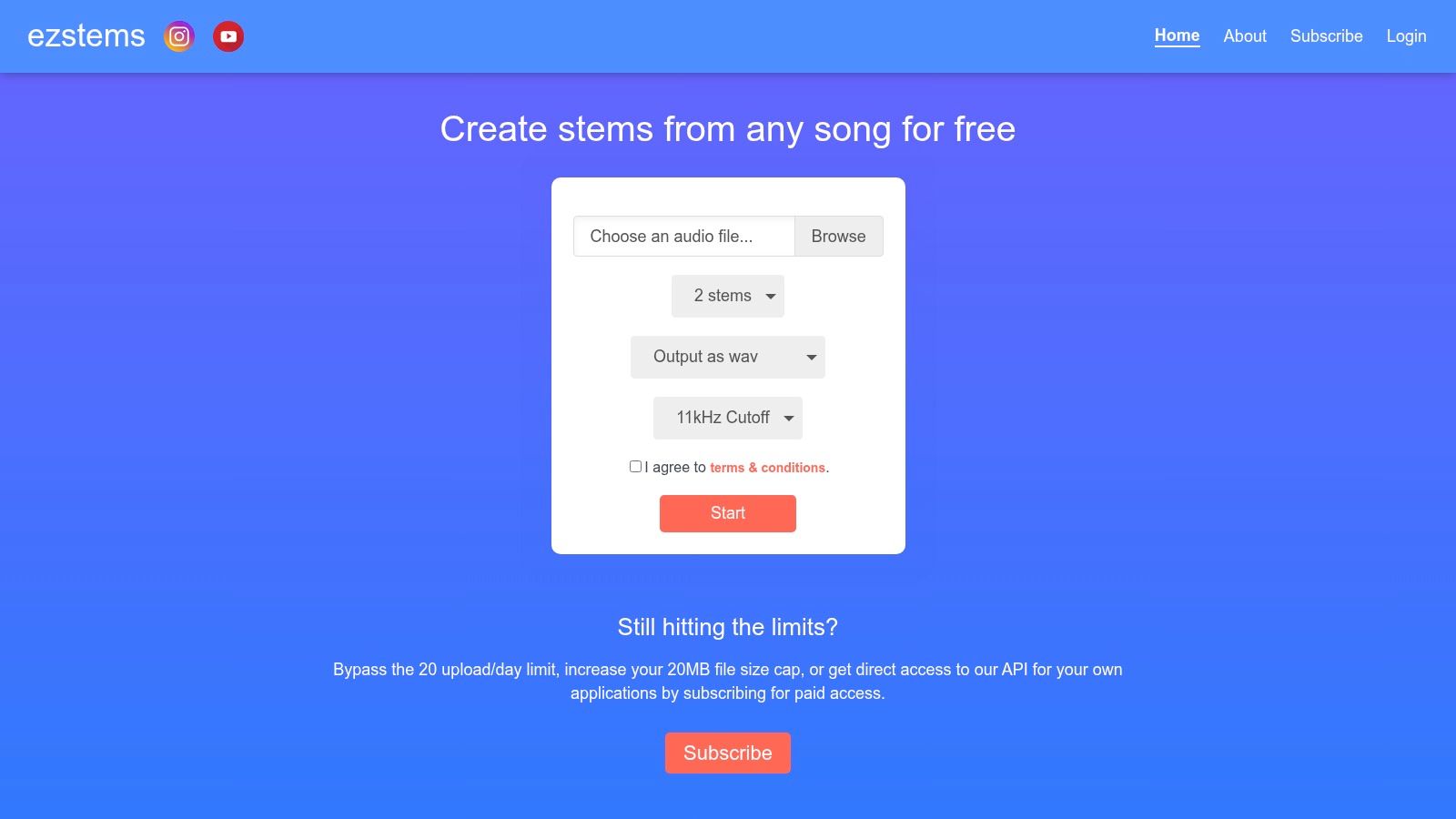
EZstems focuses on straightforward separation from an upload or a YouTube link. Its Spleeter models handle basic two- to four-stem tasks, while a subscription raises usage limits, adds queue advantages, and provides API access for lightweight automation.
That combination suits creators who repeatedly need simple outputs but don't need a full professional catalog platform. A developer can also use the API pathway for a modest workflow, provided the current plan supports the required volume and file handling.
Convenience has a ceiling
The free tier has a small upload limit, listed in the supplied product notes as around 20 MB, along with daily caps. Those restrictions make the free version better for testing than for a dependable production queue. Subscription access improves capacity, but you should still confirm current limits before designing an automated process around it.
Because EZstems uses Spleeter, the same quality caveat applies as with other older-model services. Clean, conventional arrangements may produce useful practice or remix stems, while dense or reverberant mixes can leave bleed that requires substantial correction.
For post-processing, use the output as a starting layer rather than a finished master. Mute each stem in turn, compare it with the source, and avoid boosting quiet artifacts while trying to make a weak part louder. EZstems is best for basic recurring tasks and simple API experiments, not for demanding separation where model flexibility is critical.
9. X-Minus.pro AI
X-Minus.pro AI stands out because it exposes multiple model and preset choices in the browser. Users can try Demucs and UVR variants, along with other model variants, and request two- to six-stem arrangements. That flexibility can matter more than a platform's default model when one song separates poorly under a conventional preset.
The interface is aimed at quick use. Drag and drop a file, select a vocal-remover or multistem mode, and compare results without installing a local package. Karaoke creators, remixers, and musicians can use the service as a model-testing bench before deciding whether a track deserves more detailed work elsewhere.
Flexibility needs judgment
Different models can emphasize different compromises. One may preserve a vocal's body but leave more bleed, while another may reduce bleed at the cost of transient damage. The practical benefit of X-Minus.pro is that it lets you audition those alternatives instead of treating the first output as definitive.
Documentation and pricing transparency are limited, and the supplied product notes include mixed reports about reliability and security. That makes the service inappropriate for sensitive, unreleased, or rights-sensitive material unless you've independently verified current handling terms. Use non-sensitive test content first.
After processing, align the competing outputs and level-match them before listening. Otherwise, the louder stem can appear better even when it contains more distortion. X-Minus.pro AI is the best fit for curious creators who want to compare engines on the same song, but it demands more user judgment than a polished, managed workflow.
10. Fadr
Fadr combines stem separation with a broader browser workspace for remixing and DJ-oriented creation. The separation step is part of a larger process that includes arranging, remixing, and preparing material for performance. Its Basic tier advertises unlimited stems with high-quality MP3 downloads, and the platform provides an API with a Create Stem Task endpoint for programmatic workflows.
That makes Fadr attractive to hobbyist remixers who want to remain in the browser. It also gives developers a clearer route into automation than a service that only offers manual uploads.
Best for creation around the stems
Fadr's advantage isn't necessarily the deepest restoration control. It's the surrounding workflow. A user can separate material, experiment with a remix, and prepare a DJ-style idea without immediately moving between several applications.
The trade-off appears when the project becomes technical. Advanced editors may outgrow the in-browser environment, and subscription terms can change, so confirm current plan details before assuming that a particular export format, limit, or API allowance will remain available.
MP3 output is convenient for sketches and performance preparation, but keep the original source and avoid treating a compressed export as a master-quality production asset. If you're taking the stems into a DAW, check timing, gain, and phase before adding creative effects. Fadr is the strongest choice here for browser-based remixing with an automation option, rather than forensic restoration or sensitive catalog work.
Top 10 Online Stem Separation Tools Comparison
| Product | Core features | Quality & UX (★) | Price & Value (💰) | Target audience & USP (👥 ✨) |
|---|---|---|---|---|
| ClearAudio 🏆 | Prompt-driven browser cleanup; stem isolation; noise/hiss/echo removal; PRO Large/TV (video-capable) | ★★★★☆, simple for beginners, advanced options for pros | 💰 Freemium 10s preview → PRO/enterprise tiers (transparent terms) | 👥 Podcasters, video editors, musicians, teams, ✨ prompt workflow, in-browser processing, SAM‑Audio fidelity |
| LALAL.AI | 8+ stem types; Fast/Relaxed queues; cross-platform + VST | ★★★★☆, consistent vocal/drum isolation, fast queues | 💰 Pay-per-minute / credit plans; clear plan logic | 👥 Musicians, remixers, enterprises, ✨ wide stem set & plugin/API support |
| Moises | Stems + tempo/key/chord detection, lyric tools, Moises Studio, DAW integration | ★★★★☆, collaborative workspace, mobile/web apps | 💰 Freemium + subscriptions (in-app pricing after sign-in) | 👥 Musicians, practice/remix users, ✨ practice tools + DAW/Studio collaboration |
| AudioShake | Studio-grade stems for music & speech; indie per-stem portal; API/SDK | ★★★★☆, release-grade sources favored by pros | 💰 Higher per-track for pro results; enterprise pathway | 👥 Labels, post houses, publishers, ✨ production-grade separations & managed deployments |
| Splitter.ai | Quick 2/4-stem Spleeter-based splits; free uploads; PRO utilities | ★★★☆☆, fast, low-friction but model-limited | 💰 Free tier; PRO upgrade for reverb/YouTube tools | 👥 Casual creators, sketch/remix users, ✨ instant splits & simple workflow |
| VocalRemover.org | 2-stem vocal removal + Stem Splitter; pitch/BPM/tools; no account needed | ★★★☆☆, very fast, basic controls | 💰 Mostly free; paid extras for advanced tools | 👥 Karaoke users, quick practice, ✨ immediate, no-sign-in utility suite |
| Melody.ml | Demucs 2/4-stem engine; email delivery; per-song micro-pricing | ★★★★☆, Demucs quality without local setup | 💰 Transparent per-song pricing; 2 free tracks | 👥 Occasional users wanting Demucs output, ✨ pay-per-song simplicity |
| EZstems | Spleeter uploads or YouTube links; free tier daily caps; API with subs | ★★★☆☆, serviceable for basic stems | 💰 Free limited / subscription raises caps & API access | 👥 Lightweight automation & hobbyists, ✨ URL uploads + simple API |
| X-Minus.pro (AI) | Multiple model options (Demucs/UVR/Mel variants); 2–6 stem presets | ★★★☆☆, flexible results per song | 💰 Free/low-cost but pricing/docs can be opaque | 👥 Remixers, karaoke community, ✨ try multiple models on same track |
| Fadr | Stem separation inside remix/DJ web workspace; API; basic free tier | ★★★☆☆, creative web suite, in-browser limits | 💰 Free basic (HQ MP3) → paid API/features | 👥 Hobbyist remixers & developers, ✨ all-in-one remix tools + developer API |
Turn Separated Stems Into Usable Tracks
Tool selection becomes simpler when you start with the destination. For low-stakes karaoke, quick practice, or a rough songwriting idea, VocalRemover.org, Splitter.ai, EZstems, or Fadr can get you moving with little setup. Melody.ml is a better occasional choice when you want Demucs output without installing local software. Moises fits musicians who need practice controls, key and tempo changes, chord support, and collaboration around the separated parts.
Remixing requires broader judgment. LALAL.AI is a strong choice when the target is a guitar, piano, synth, string, or wind part rather than only a vocal or backing track. X-Minus.pro AI is useful when you want to compare model variants on the same source. Fadr works well when separation is only one step in a browser-based remix or DJ workflow.
Professional delivery changes the standard. AudioShake is better aligned with catalogs, post houses, sync, dubbing, accessibility, and API-led work. ClearAudio is the more natural choice when the target is a speaker, dialogue, vocal, music, or background layer in an audio or video file, especially when noise, hum, hiss, and room echo also need attention. For larger teams, project management, privacy controls, and predictable handling can matter as much as the isolated waveform.
A reliable production workflow looks like this:
- Prepare the cleanest source: Keep the original file untouched, avoid unnecessary transcoding, and use the highest-quality source available.
- Test before committing: Preview more than one processing mode or model when the service provides that option.
- Inspect the difficult moments: Listen to choruses, cymbal hits, bass entrances, sibilants, room tone, and any section with overlapping sources.
- Check phase and artifacts: Compare stereo and mono playback, and watch for phasing, metallic textures, missing transients, and residual bleed.
- Trim and align: Remove unwanted silence, place stems at a common start point, and keep the original timing.
- Balance before processing: Level-match stems before deciding which output sounds better.
- Apply gentle cleanup: Use restrained EQ, de-noising, de-essing, and ambience repair. Heavy processing can make separation damage more obvious.
- Export clearly: Use filenames that identify the song, stem, version, model or mode, and date.
Benchmarks help explain why no service wins every task. On MUSDB18-HQ, a 2026 comparison reported leading median SDRs of about 11.42 dB for bass, 11.49 dB for drums, 7.67 dB for other, and 9.19 dB for vocals, showing that quality depends strongly on the stem rather than on a single overall winner, as detailed in this reproducible source-separation benchmark. Newer evaluation work also reflects broader production needs. Meta's SAM Audio introduced SAM Audio-Bench across speech, music, and general sound effects, while MSRBench uses 2,000 professionally mixed 10-second stereo clips across eight instrument classes and 26,000 stem-mixture pairs, as summarized in Meta's SAM Audio announcement. Those developments point to a field that's maturing, not one that has solved every real-world mix.
Before uploading sensitive recordings, verify current pricing, file limits, processing queues, retention, privacy terms, API conditions, and export formats. For copyrighted music, separation technology doesn't grant permission to publish, distribute, or monetize the resulting stems. Treat every output as a working asset, preserve the original, and confirm the rights for the use you intend.
ClearAudio lets you upload audio or video, describe whether you want to keep the speaker, vocals, dialogue, music, or background music, and choose a processing mode that matches the job. Visit ClearAudio to test a browser-based workflow that combines stem isolation with noise, hum, hiss, and room-echo cleanup for more usable tracks.